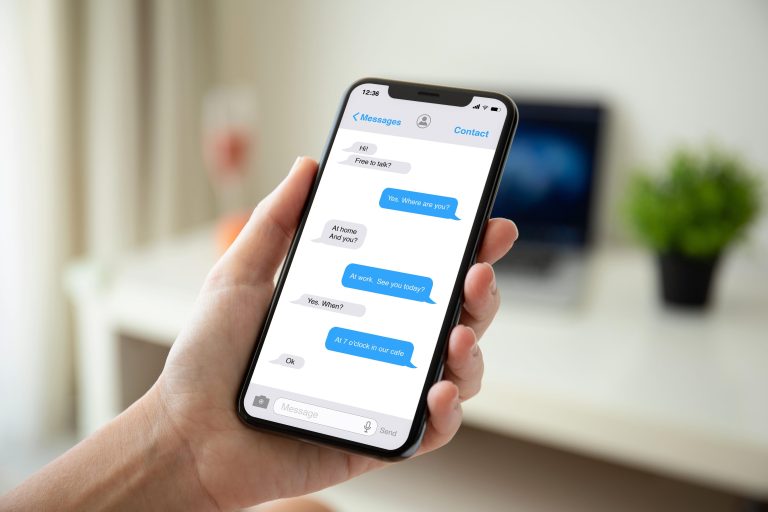


The best family location sharing apps help family members stay connected, coordinate everyday activities, and know when someone arrives safely—without requiring constant check-in messages.
Whether you’re picking up your children from school, meeting relatives in a busy city, or coordinating travel with your partner, sharing your location can make daily life easier.
But not every location sharing app works the same way.
Some apps, such as Life360, are designed around ongoing family location sharing. Others, including Google Maps and Apple Find My, offer useful free tools that may already be available on your phone.
There are also specialized services for children’s devices and temporary location sharing.
In this guide, we compare the best family location sharing apps in 2026, including free and paid options for Android and iPhone.
We’ll look at real-time location sharing, arrival and departure alerts, location history, compatibility, pricing models, and privacy controls.
Quick recommendation: Life360 is our leading choice for a dedicated family location sharing service. Google Maps is the best free cross-platform starting point, while Apple Find My is especially convenient for families using iPhones.
Editorial note: This is a research-based comparison using official product documentation. We have not independently tested location accuracy, battery consumption, or reliability on physical devices. Features and subscriptions may vary by region, device, and account.
Best Family Location Sharing Apps: Quick Comparison
| App | Best For | Platforms | Free Option | Key Strength |
|---|---|---|---|---|
| Life360 | Best overall family locator | Android, iPhone | Yes | Family circles, place alerts, location history |
| Google Maps | Best free cross-platform sharing | Android, iPhone | Yes | Simple live location sharing |
| Apple Find My | Best for iPhone families | Apple ecosystem | Yes | Built-in family location sharing |
| Google Family Link | Best for children’s Android devices | Compatible Android and parent devices | Yes | Child location and parental supervision |
| GeoZilla | Best Life360 alternative | Android, iPhone | Yes, limited | Family map, location history, place alerts |
| Glympse | Best temporary location sharing | Android, iPhone, web viewing | Yes | Time-limited location links |
| Findmykids | Best for younger children | Supported phones and GPS watches | Yes, limited | Child-focused location and arrival alerts |
Our overall recommendation: Start with a free tool if your family only needs basic location sharing. Choose a dedicated family locator when you need more advanced arrival alerts, location history, or family-specific safety features.
How We Evaluated Family Location Sharing Apps
We considered six factors when selecting these apps.
Real-Time Location Sharing
Does the service let family members see a shared location on a map?
Can they choose when to share and with whom?
Arrival and Departure Notifications
Can the app notify you when someone reaches school, home, or another important place?
Cross-Platform Compatibility
Does it work when one family member has an iPhone and another uses Android?
Free and Paid Features
Which functions are available without a subscription, and what additional capabilities require payment?
Privacy and Consent
Can users control who sees their location and stop sharing when appropriate?
Practical Family Use
Is the app designed for ongoing family coordination, child supervision, or temporary trip sharing?
We did not assign numerical accuracy or battery-life scores because we have not performed consistent real-world testing.
1. Life360 — Best Overall Family Location Sharing App
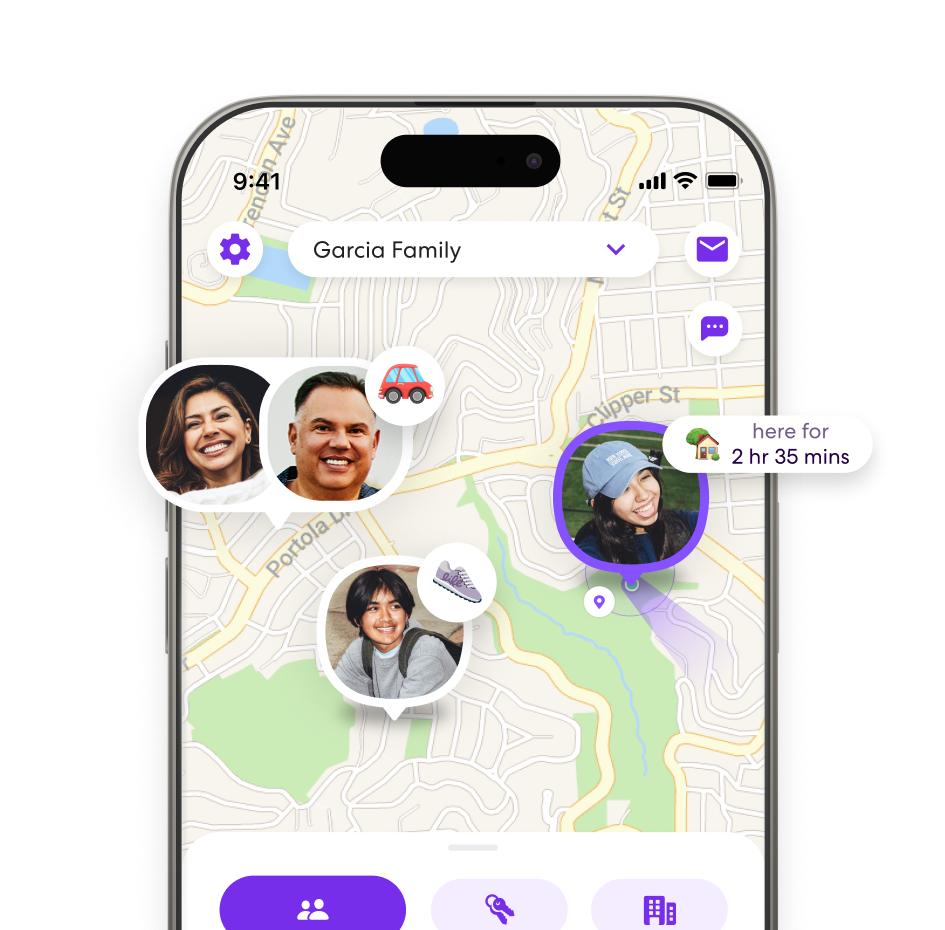
Best for: Families wanting a dedicated location sharing app with a private family map, arrival alerts, and optional safety features.
Platforms: Android and iPhone.
Pricing: Free plan and paid membership options.
Official website: Life360
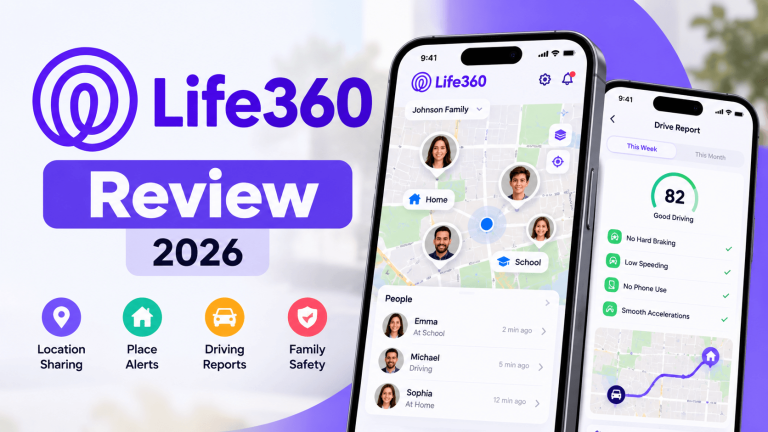
Life360 is one of the most recognizable apps built specifically around family location sharing.
It lets family members join private groups called Circles and view shared locations on a map.
Families can use it to coordinate school pickups, daily travel, and other activities without repeatedly asking where everyone is.
Key Features
- Real-time location sharing.
- Private family Circles.
- Arrival and departure notifications for saved places.
- Location history.
- Family driving summaries.
- Selected driving safety and emergency features.
- Additional safety services on eligible paid plans.
What Makes Life360 Stand Out?
Life360 combines several family-focused functions in one app.
For example, parents can create a saved place for school and receive notifications when a participating family member arrives or leaves.
The app also offers location history, which can help families review previous journeys.
According to Life360’s published membership information, its free plan includes two days of location history and notifications for two saved places. Paid plans provide additional history and place-alert options.
Availability and subscription tiers can differ by country.
Pros
- Designed specifically for families.
- Supports both Android and iPhone.
- Free basic location sharing.
- Arrival and departure notifications.
- Optional driving and safety features.
Cons
- Advanced features require a subscription.
- Continuous location sharing may feel intrusive.
- Location accuracy depends on the device and connectivity.
- Some services are region-specific.
Who Should Choose Life360?
Life360 is a strong option if several family members want an ongoing shared map and regular place notifications.
It is less necessary if you only need to share your location occasionally.
Our verdict: Life360 is our leading dedicated family location sharing app because it combines family maps, place alerts, and optional safety features.
2. Google Maps — Best Free Family Location Sharing App for Android and iPhone
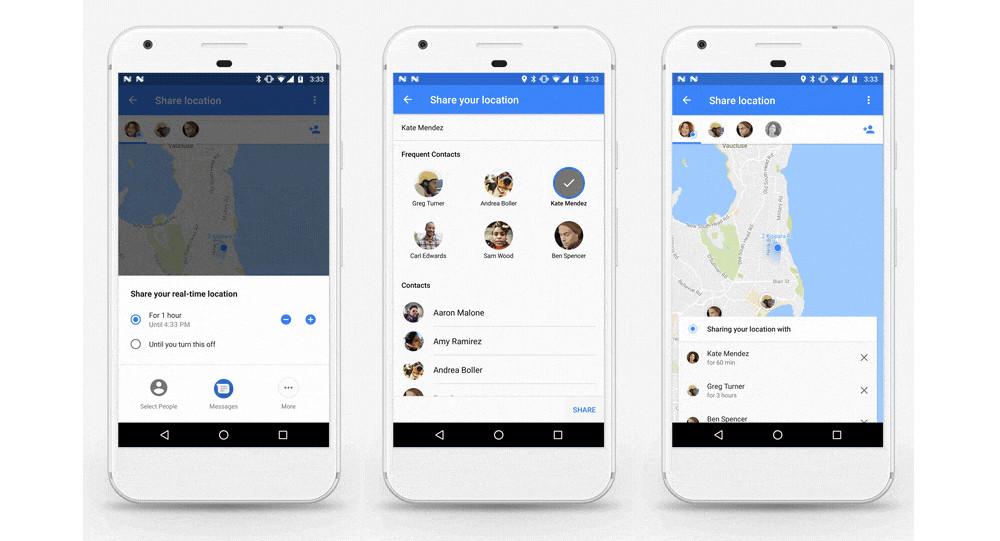
Best for: Families wanting simple, free, cross-platform location sharing without subscribing to a dedicated family tracking service.
Platforms: Android and iPhone.
Pricing: Free.
Official website: Google Maps
Google Maps is one of the easiest ways to share your location with family members.
It works across Android and iPhone, making it particularly useful for households where people use different devices.
Key Features
- Real-time location sharing.
- Choose who can see your location.
- Select a sharing duration.
- Share location through supported links.
- View shared locations on a map.
- Battery status information.
- Arrival and departure notifications for eligible sharing arrangements.
What Makes Google Maps Stand Out?
Google Maps is convenient because many people already have it installed.
You don’t need to build a separate family safety setup just to coordinate a journey or let someone know you’re on your way.
For example, a family member can share their live location during a road trip or commute.
Google Maps also supports arrival and departure notifications when someone has shared their location through an eligible account-based arrangement.
How to Share Your Location With Google Maps
- Open Google Maps on your phone.
- Tap your profile picture.
- Select Location sharing.
- Tap New share or the available sharing option.
- Choose who can see your location.
- Select how long to share.
- Confirm the sharing request.
The exact interface may vary by device and app version.
Important Limitations
Google Maps is not a complete parental control app.
It doesn’t provide the same child supervision features as Google Family Link.
Location sharing may also be limited for supervised child accounts, and arrival notifications are not available for every account or link-sharing arrangement.
Pros
- Free.
- Works across Android and iPhone.
- Easy to use.
- No separate family locator subscription required.
- Flexible sharing duration.
Cons
- Fewer dedicated family safety features.
- No equivalent to Life360’s full family membership services.
- Account restrictions can affect child location sharing.
- Location availability depends on connectivity and permissions.
Who Should Choose Google Maps?
Choose Google Maps if your family wants straightforward location sharing without paying for additional services.
Our verdict: Google Maps is the best free cross-platform starting point for everyday family location sharing.
3. Apple Find My — Best for Families Using iPhone
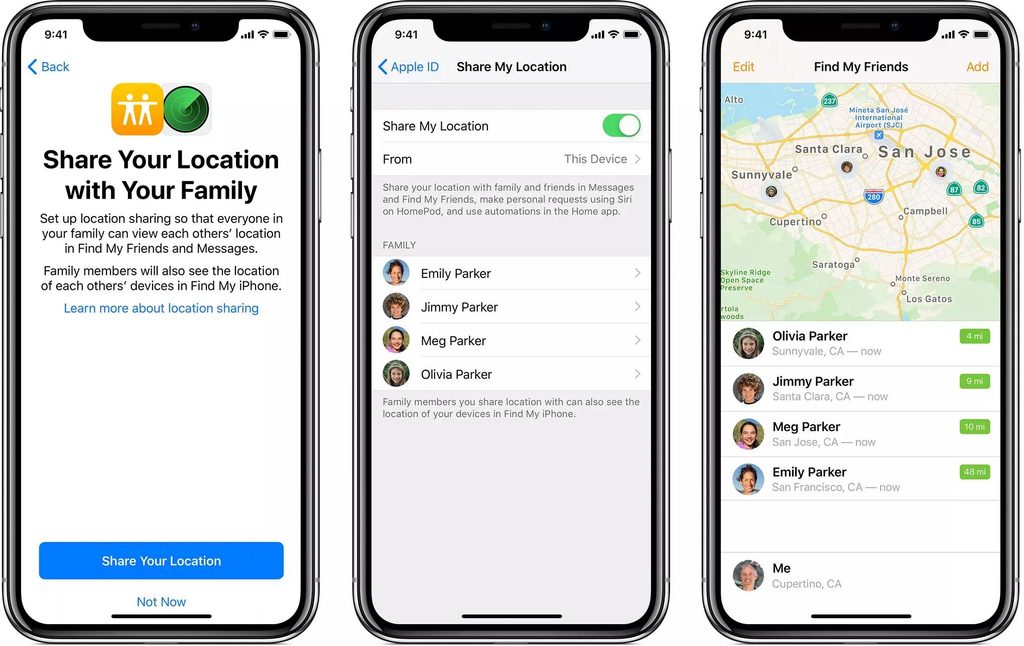
Best for: Families where most members use iPhones and other Apple devices.
Platforms: Apple ecosystem.
Pricing: Free.
Official resource: Apple Find My and Family Sharing
Apple Find My provides built-in location sharing for supported Apple devices.
When combined with Family Sharing, it can help family members share their locations and find missing devices.
Key Features
- Location sharing with selected family members.
- Shared locations in Find My.
- Arrival and departure notifications.
- Family Sharing integration.
- Missing-device location features.
- Options to stop sharing.
- Location sharing through supported Apple services.
What Makes Apple Find My Stand Out?
Apple Find My is integrated into the operating system.
For an iPhone-based household, this can be more convenient than downloading another location sharing app.
For example, family members can choose to share their locations and receive notifications when someone arrives at or leaves a selected place.
Find My can also help locate supported missing Apple devices.
How to Share Your Location With Family
- Open Settings on your iPhone.
- Select Family.
- Open Location Sharing.
- Choose the family members with whom you want to share.
- Review the available sharing settings.
You can also manage location sharing through the Find My app.
Important Limitations
Apple Find My is not a full cross-platform family locator.
It is most suitable for Apple households, not families relying on Android phones.
Some child and teen location-sharing settings can also be managed through parental controls.
Pros
- Free.
- Built into compatible Apple devices.
- Family Sharing integration.
- Arrival and departure notifications.
- Useful for locating missing Apple devices.
Cons
- Not suitable as a universal Android and iPhone solution.
- Less specialized than dedicated family safety platforms.
- Requires appropriate Apple account and device settings.
Who Should Choose Apple Find My?
Choose Apple Find My if your family primarily uses iPhones and wants a free, integrated location sharing experience.
Our verdict: The best built-in location sharing option for Apple-focused families.
4. Google Family Link — Best for Children’s Android Devices
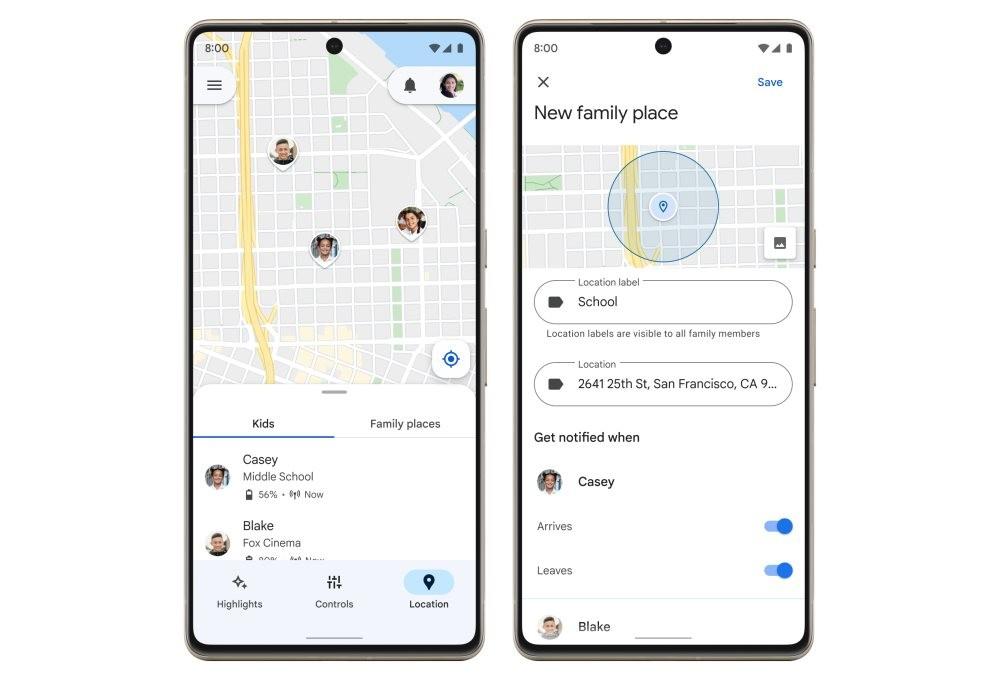
Best for: Parents who want location information and basic digital supervision for a child’s compatible Android device.
Platforms: Compatible Android child devices; parent management available on supported devices.
Pricing: Free.
Official website: Google Family Link
Google Family Link is different from a typical family locator.
Its main purpose is helping parents manage eligible child Google accounts and supported devices.
However, location sharing is one of its useful features.
Key Features
- Child device location.
- Saved family places.
- Arrival and departure notifications.
- Screen time limits.
- App management.
- Google account supervision.
- Selected content restrictions.
What Makes Family Link Stand Out?
Family Link combines child location features with parental controls.
For example, a parent may want to know when a child arrives at school while also managing bedtime screen time or app downloads.
Family Link supports those needs within Google’s ecosystem.
Important Limitations
Family Link’s child location functionality is designed around eligible supervised devices and accounts.
It is not a general-purpose solution for tracking every adult family member.
Location may be unavailable when the child’s device is powered off, disconnected, or inactive.
Pros
- Free.
- Useful for eligible child Android devices.
- School and home location alerts.
- Integrated with Google parental controls.
- No additional family locator subscription required.
Cons
- Limited to supported child accounts and devices.
- Not a general family location app for adults.
- Location updates depend on connectivity.
- Child account restrictions may apply.
Who Should Choose Google Family Link?
Choose Family Link if your main goal is supervising a child’s compatible Android phone.
For more details, read our Google Family Link review.
Our verdict: The best free child-focused Android option when location sharing is part of a broader parental supervision setup.
5. GeoZilla — Best Alternative to Life360
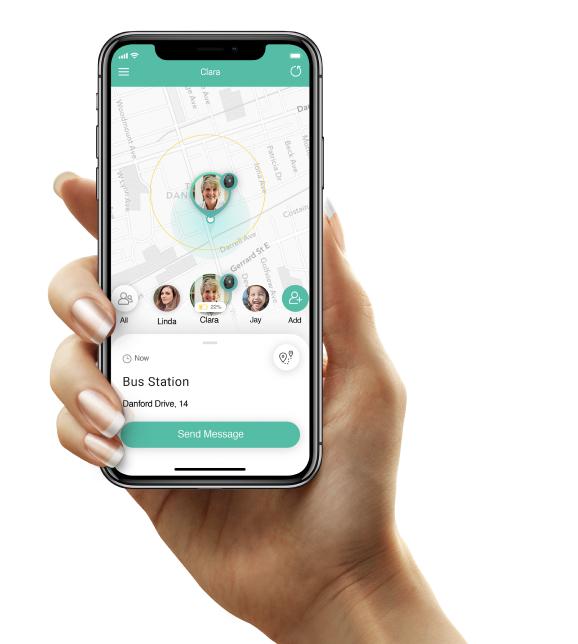
Best for: Families comparing dedicated GPS location sharing services with place alerts and optional safety features.
Platforms: Android and iPhone.
Pricing: Limited free features and paid Premium subscription.
Official website: GeoZilla
GeoZilla is another family location sharing service designed to help people stay connected.
It provides a private family map and location-related notifications.
Key Features
- Real-time family location sharing.
- Private family groups.
- Location history.
- Arrival and departure alerts.
- Scheduled location notifications.
- Selected SOS and driving safety features.
- Additional safety tools through eligible plans.
What Makes GeoZilla Stand Out?
GeoZilla offers a familiar family locator experience with a range of location-based safety functions.
It may appeal to families that want an alternative to Life360.
The provider’s published information describes a free version for basic location sharing and a Premium plan for features such as longer location history, place alerts, and scheduled notifications.
Important Limitations
Some of GeoZilla’s most useful family features require a subscription.
Families should verify trial conditions, renewal terms, and feature availability before purchasing.
Location-based services also depend on device permissions and connectivity.
Pros
- Supports Android and iPhone.
- Family-focused location map.
- Place alerts.
- Optional location history.
- Additional safety features.
Cons
- Premium features require payment.
- Subscription terms need careful review.
- Location accuracy is not guaranteed.
- More features may mean more data sharing.
Who Should Choose GeoZilla?
Consider GeoZilla if you want a dedicated family location app and are comparing alternatives to Life360.
Our verdict: A useful Life360 alternative, particularly for families interested in configurable location alerts and history.
6. Glympse — Best for Temporary Family Location Sharing
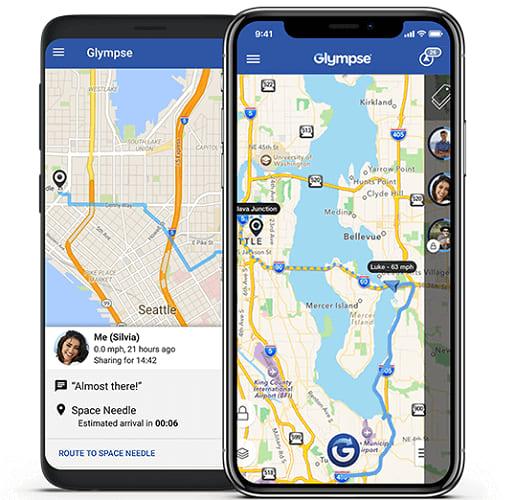
Best for: Sharing your location during trips, pickups, and other short-term activities.
Platforms: Android and iPhone; recipients can view shared links in a browser.
Pricing: Free basic location sharing.
Official website: Glympse
Glympse takes a different approach from continuous family location sharing apps.
Instead of maintaining a permanent family map, it focuses on temporary location sharing.
Key Features
- Live GPS location sharing.
- Time-limited sharing links.
- Share through messaging and other supported channels.
- Browser-based viewing for recipients.
- No app installation required for recipients.
- Automatic expiration of shared locations.
- Estimated arrival information in supported sharing scenarios.
What Makes Glympse Stand Out?
Glympse is useful when you only want someone to see your location for a limited period.
For example, you might share your journey while driving to pick up a family member.
Once the selected sharing period ends, the link expires.
This makes it a practical alternative to continuous tracking.
Important Limitations
Glympse is not designed primarily for ongoing child supervision.
It doesn’t provide the same persistent family management features as Life360.
Temporary links should still be shared carefully because anyone with access to a valid link may be able to view the shared location.
Pros
- Free basic sharing.
- Works across Android and iPhone.
- Recipients don’t need the app.
- Automatic sharing expiration.
- Useful for short trips.
Cons
- Not a full family safety dashboard.
- Limited ongoing family management.
- No equivalent to comprehensive parental controls.
- Shared links require care.
Who Should Choose Glympse?
Choose Glympse if your family prefers sharing locations only when needed.
Our verdict: The best option on this list for temporary, time-limited location sharing.
7. Findmykids — Best Family Locator for Younger Children
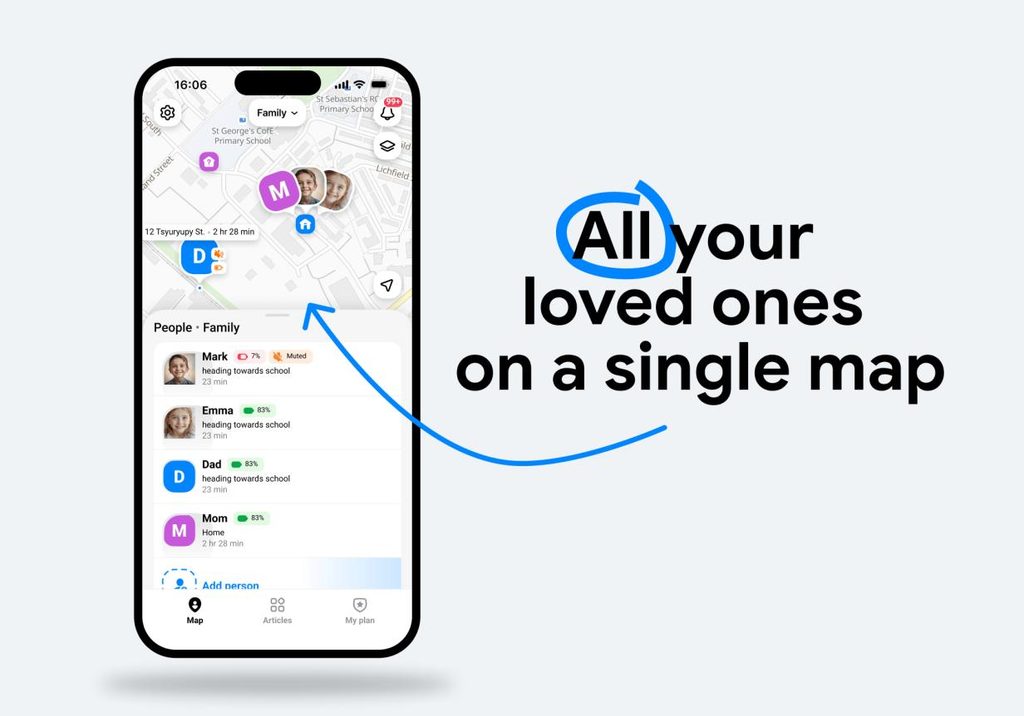
Best for: Parents looking for child-focused location features on supported phones or GPS watches.
Platforms: Supported Android and iPhone configurations and compatible children’s GPS watches.
Pricing: Limited free features and paid plans.
Official website: Findmykids
Findmykids focuses on helping parents stay informed about children’s locations.
Its features are designed around school journeys, daily routines, and child safety.
Key Features
- Child device location.
- Location history.
- Arrival and departure notifications.
- SOS features.
- Device battery information.
- Family communication tools.
- Support for selected GPS watches.
- Additional parental features depending on the plan.
What Makes Findmykids Stand Out?
Findmykids is particularly relevant for younger children who are beginning to travel independently.
For example, parents may want to know when a child arrives at school or returns home.
The app also supports certain children’s GPS watches, which can be useful when a child doesn’t yet have a smartphone.
Important Privacy Considerations
Some Findmykids features go beyond ordinary location sharing, including functions involving the child’s device environment or communications.
Parents should review these features carefully, explain supervision to their children, and avoid collecting more information than necessary.
The provider’s app listing states that installation should not be secret and that the child’s consent is required.
Pros
- Child-focused location features.
- Arrival and departure alerts.
- Compatible GPS watch options.
- SOS functions.
- Family communication features.
Cons
- Advanced features require payment.
- Not primarily designed for equal adult-to-adult sharing.
- Device compatibility varies.
- Some features raise additional privacy considerations.
Who Should Choose Findmykids?
Consider Findmykids if you need child-specific location features and have confirmed compatibility with your child’s device or GPS watch.
Our verdict: A child-focused alternative for families that need more than general-purpose location sharing.
Which Family Location Sharing App Is Best for You?
The right choice depends on your household’s devices and needs.
| Family Situation | Recommended Starting Point |
|---|---|
| Family members want a shared location map | Life360 |
| Everyone wants a free option | Google Maps |
| Most family members use iPhones | Apple Find My |
| Child uses a supervised Android phone | Google Family Link |
| You want an alternative dedicated locator | GeoZilla |
| You only need location sharing during a trip | Glympse |
| Younger child uses a phone or GPS watch | Findmykids |
| You want driving-related safety features | Compare eligible Life360 and GeoZilla plans |
Best Free Family Location Sharing Apps
You don’t necessarily need a subscription to share locations with your family.
Several free services already provide useful functionality.
Google Maps
Best for simple location sharing between Android and iPhone users.
Apple Find My
Best for families that primarily use compatible Apple devices.
Google Family Link
Best for supervising a child’s eligible Android device.
Life360 Free
Best for families wanting a dedicated shared map with limited place alerts and location history.
Glympse
Best for temporary sharing during travel or pickups.
Are Paid Family Locator Apps Worth It?
A paid subscription may be useful if you need:
- More saved-place notifications.
- Longer location history.
- Specialized driving safety features.
- Additional emergency-related services.
- Child-specific features.
- Advanced family location management.
However, if your main goal is simply knowing when someone is on the way, a free tool may be sufficient.
Best Family Location Sharing Apps for iPhone and Android
Many households use a combination of Apple and Android devices.
In these situations, cross-platform support matters more than the number of features advertised.
Best Free Cross-Platform Option: Google Maps
Google Maps is a practical starting point because it supports both operating systems.
Best Dedicated Family App: Life360
Life360 is designed around ongoing family location sharing and supports both Android and iPhone.
Best Alternative: GeoZilla
GeoZilla also offers cross-platform family location features.
Best for Short-Term Sharing: Glympse
Glympse is useful when family members want temporary sharing without committing to a permanent family map.
Important: Apple Find My is not a full cross-platform substitute for these services.
If your household uses both Android and iPhone, confirm that the app supports every participating family member’s device.
Family Location Sharing Apps vs. Parental Control Apps
Location sharing apps and parental control apps solve related but different problems.
| Feature | Family Location Sharing Apps | Parental Control Apps |
|---|---|---|
| Share current location | Main purpose | Available in some products |
| Family location map | Common | Sometimes |
| Arrival and departure alerts | Common | Available in selected products |
| Screen time management | Usually not the focus | Core feature |
| App blocking | Usually not the focus | Common |
| Web filtering | Usually not the focus | Common |
| Communication monitoring | Usually not the focus | Available in selected products |
If your main concern is location coordination, a family locator may be enough.
If you also want to manage screen time, app downloads, or online content, compare the best parental control apps.
What Features Should You Look for in a Family Location Sharing App?
Real-Time Location
Can you view a family member’s shared location on a map?
Location Accuracy
Does the provider explain how location is determined and when updates may be delayed?
No phone-based service can guarantee exact positioning at all times.
Place Alerts
Can you receive notifications when someone arrives at or leaves a saved location?
Location History
Does the app save previous locations?
If so, how long are they retained, and who can access them?
Battery Consumption
Frequent location updates can affect battery use.
The impact depends on the device, network, and app settings.
Privacy Controls
Can family members choose when and with whom they share their locations?
Subscription Value
Are the features you need included in the free plan?
Emergency Features
Does the app offer SOS alerts or other safety functions?
Check whether these features are supported in your country and understand that an app is not a substitute for emergency services.
Are Family Location Sharing Apps Safe?
Family location sharing can improve coordination and provide reassurance, but it also involves sensitive personal information.
A location history may reveal home addresses, school routines, workplaces, and regular travel patterns.
Before using a service, review:
- Who can view each family member’s location.
- Whether sharing can be paused or stopped.
- Whether the app stores location history.
- How long information is retained.
- Whether location data is shared with other companies.
- What happens when someone leaves a family group.
- How account access is protected.
- Whether location sharing is appropriate for each child’s age.
Location sharing should be transparent and based on clear family expectations.
For adults and partners, participation should be voluntary rather than a condition of trust.
For a deeper discussion, read Should Couples Share Their Location?.
Can Family Members Stop Sharing Their Location?
Many location sharing apps allow users to stop sharing, but the exact controls vary.
For example:
- Google Maps lets users stop sharing with selected people.
- Apple Find My allows supported users to manage location sharing.
- Glympse links automatically expire after the selected duration.
- Life360 and GeoZilla have their own family membership and privacy settings.
Children’s supervised accounts may have additional restrictions.
It’s important to discuss these rules before enabling ongoing location sharing.
The goal should be family coordination and safety—not secret monitoring.
How to Choose the Right Family Location Sharing App
Use this simple decision process.
Step 1: Identify Your Main Need
Do you want a family map, school arrival alerts, travel coordination, or child-specific safety features?
Step 2: Check Device Compatibility
List the phones and other devices your family uses.
Step 3: Try a Free Option
Start with Google Maps, Apple Find My, Google Family Link, or Life360 Free, depending on your devices.
Step 4: Review Privacy Settings
Make sure everyone understands how sharing works.
Step 5: Test Important Notifications
If you rely on school arrival alerts, confirm they work in your actual environment.
Step 6: Upgrade Only When Necessary
Pay for additional features only when they address a specific limitation.
Frequently Asked Questions
1. What is the best family location sharing app in 2026?
Life360 is our leading dedicated family location sharing option because it combines a family map, place alerts, and optional safety features. Google Maps is an excellent free cross-platform choice, while Apple Find My is convenient for iPhone families.
2. What is the best free family location sharing app?
Google Maps is one of the best free options for families using both Android and iPhone. Apple Find My is a strong free option for Apple households. Life360 also provides a free plan with limited location history and place alerts.
3. Can iPhone and Android users share locations?
Yes. Google Maps, Life360, GeoZilla, and Glympse support location sharing across Android and iPhone in their respective supported configurations.
4. Is Life360 better than Google Maps?
Life360 offers more dedicated family location features, including private Circles and additional safety services. Google Maps is simpler and free for everyday location sharing. The better choice depends on your needs.
5. Is Apple Find My free?
Yes. Apple Find My is built into supported Apple devices and offers location sharing without a separate family locator subscription.
6. Can I share my location temporarily?
Yes. Google Maps offers duration-based sharing, while Glympse specializes in temporary location links that expire automatically.
7. Can family location sharing apps notify me when my child arrives at school?
Some can. Life360, Google Family Link, GeoZilla, Apple Find My, and eligible Google Maps sharing arrangements support arrival or departure notifications. Availability depends on the app, device, account, and settings.
8. Do family locator apps work without internet?
Most remote location sharing features require connectivity to update the location visible to other people. If a device is offline, its location may be unavailable or outdated.
9. Can family location apps show location history?
Some services provide location history. Life360, GeoZilla, and Findmykids offer history-related features, although retention periods and access vary by subscription and platform.
10. Can I track my child’s location with Google Family Link?
Yes, on supported supervised Android devices and certain compatible devices when location settings are enabled. The child’s device must meet Google’s eligibility and connectivity requirements.
11. Can family location apps drain a phone battery?
Location services can contribute to battery consumption, especially with frequent updates. Actual battery impact depends on the app, phone, signal conditions, and settings.
12. Can I locate a family member using only their phone number?
A phone number alone does not provide legitimate unrestricted access to another person’s live location. Some services use phone numbers to send invitations or consent-based location requests.
13. Are family location sharing apps accurate?
Accuracy varies based on GPS reception, Wi-Fi, cellular connectivity, device settings, and surroundings. Indoor locations and areas with weak signals can be less precise.
14. Are family tracking apps safe for privacy?
They can be used responsibly, but location data is sensitive. Choose services with clear privacy controls, review data retention practices, and make sure family members understand the sharing arrangement.
15. What is the best location sharing app for families with young children?
Google Family Link is a useful free starting point for eligible child Android devices. Findmykids is another option for families needing child-specific location features or compatible GPS watch support.
Final Verdict: Which Family Location Sharing App Should You Choose?
The best family location sharing app depends on whether you need continuous family coordination, occasional travel updates, or child-focused supervision.
Here are our recommendations:
- Best overall dedicated family locator: Life360.
- Best free cross-platform option: Google Maps.
- Best for iPhone families: Apple Find My.
- Best for children’s Android devices: Google Family Link.
- Best Life360 alternative: GeoZilla.
- Best for temporary location sharing: Glympse.
- Best for younger children: Findmykids.
For most families, the simplest option is the best place to begin.
Try a free location sharing service, confirm that it works across your devices, and only upgrade when you need additional features.
Most importantly, treat location sharing as a tool for communication and coordination—not as a replacement for trust, independence, or responsible family conversations.
Sources and Further Reading
- Life360 — Membership Plans
- Life360 — Location History
- Google Maps — Share Your Real-Time Location
- Google Maps — Location Sharing Notifications
- Apple — Share Location With Family
- Google Family Link — Find and Manage Your Child’s Location
- GeoZilla — Family Safety
- GeoZilla — Premium Features
- Glympse — How It Works
- Findmykids — Official Website
Last editorial review: October 22, 2026. Features, subscriptions, compatibility, and location sharing policies may change. Verify current details with each provider before purchasing.