
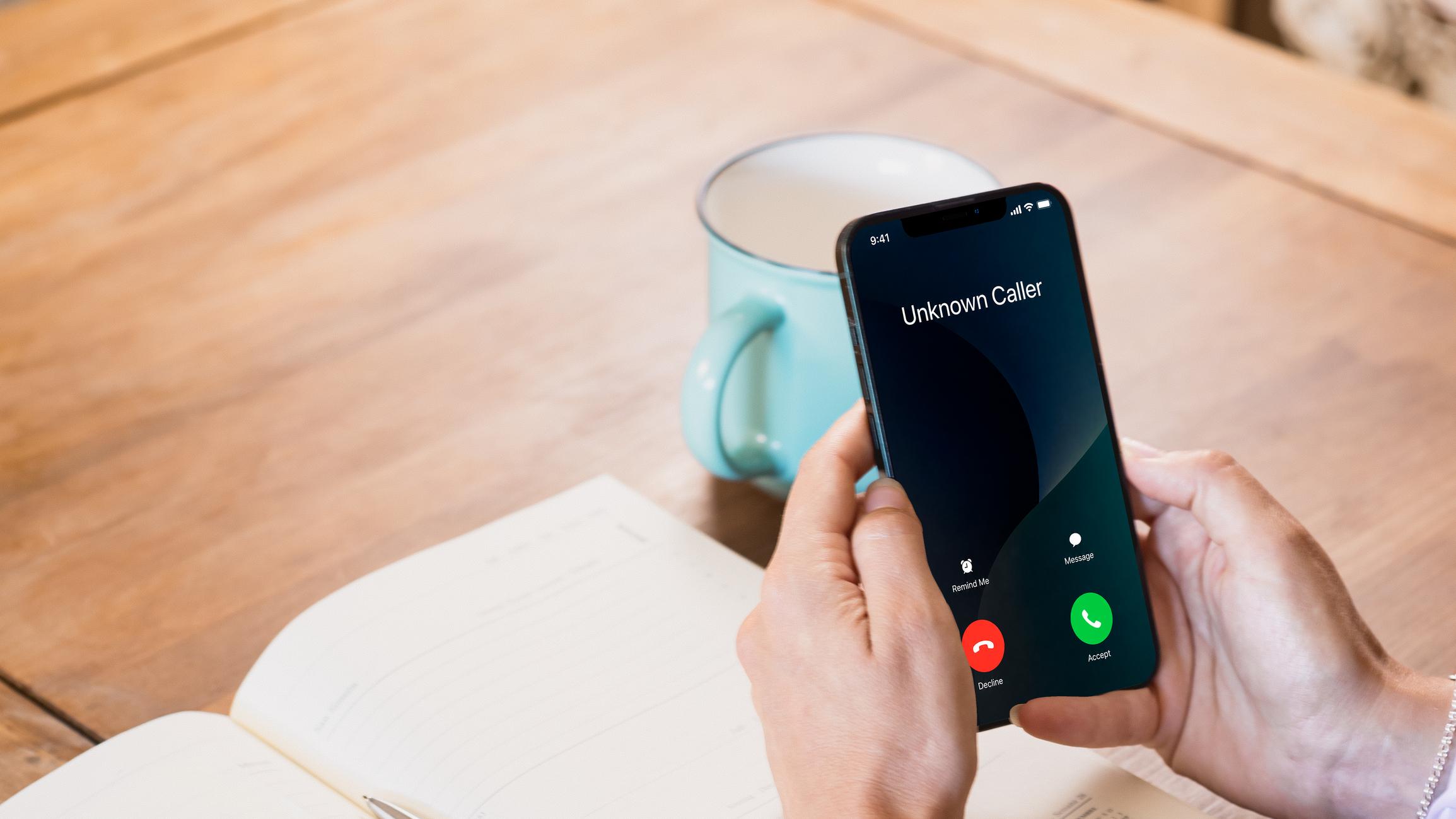
Your phone rings, but you don’t recognize the number. You let it go to voicemail, and the caller leaves no message.
Now you’re wondering: Who called me from this phone number, and is it safe to call back?
A reverse phone lookup may help you find information about an unfamiliar number. Depending on the service and available records, you might discover a business name, a general geographic area, or reports that other people have associated the number with unwanted calls.
But there’s an important limitation: a phone number lookup cannot always tell you who actually made the call. Caller ID information can be inaccurate, databases may be outdated, and scammers can disguise the number displayed on your screen.
If you’re trying to identify an unknown caller, start with these five practical methods before returning the call.
Who Called Me From This Phone Number? 5 Ways to Check
You don’t necessarily need to pay for a reverse phone lookup to begin investigating an unfamiliar number.
Here are five ways to check.
1. Search the Phone Number on Google
Start by searching the complete phone number online.
Try entering it in quotation marks, such as:
"202-555-0147"
This is a fictional example number, not a real caller to investigate.
You can also try different common number formats, including a version with the country code.
Search results may show:
- An official business website.
- A public customer service number.
- A business directory listing.
- Reports of unwanted calls.
- Forum discussions about similar calls.
For example, if the number appears on the official website of a local business, that may help you identify a possible source.
However, a search result doesn’t prove that the business actually called you.
A scammer could have spoofed its number.
Best for: Checking whether a number is publicly associated with a business or has a history of reported spam.
2. Check Your Phone’s Built-In Caller ID
Your smartphone may already have features that identify unknown callers or flag suspected spam.
On supported Android devices, Google’s Phone app can display caller information for businesses outside your contacts and warn about possible spam calls.
Some iPhones can identify business calls through supported carriers, Apple Business Connect information, or compatible caller identification apps.
These features may help you recognize an unfamiliar caller without manually searching every number.
However, caller identification is not guaranteed to be correct.
A legitimate number may be mislabeled, and a suspicious call may not trigger a warning.
Best for: Quickly screening incoming calls and identifying potential spam.
3. Use a Reputable Reverse Phone Lookup Service
A reverse phone lookup service searches available information associated with a telephone number.
Depending on the provider, the country, and the number, results may include:
- A business name.
- A general location.
- A phone line category.
- Publicly available directory information.
- Community spam reports.
- Other records the provider is legally permitted to display.
Some services offer limited free information, while others charge for additional results.
Before paying, check what the service actually promises to provide.
Be cautious of websites that claim to identify every caller instantly or guarantee a person’s full identity.
Best for: Gathering additional context when ordinary web searches don’t provide enough information.
4. Check Public Spam Call Reports
Some caller identification services and community websites allow people to report suspicious or unwanted calls.
These reports may reveal patterns.
For example, multiple users might report that a number was associated with:
- Repeated robocalls.
- Fake delivery notifications.
- Unwanted sales calls.
- Impersonation attempts.
- Requests for sensitive personal information.
Community reports can be useful, but they aren’t verified proof.
Reports may be inaccurate, outdated, or associated with a spoofed number.
A number with no reports isn’t automatically safe.
Best for: Checking whether other people have reported similar suspicious calls.
5. Let the Caller Leave a Voicemail
Sometimes, the safest and simplest approach is not to answer an unexpected call.
If the call is legitimate and important, the caller may leave a voicemail explaining who they are and why they’re contacting you.
Listen carefully, but don’t assume the voicemail is authentic simply because it sounds professional.
If someone claims to represent your bank, insurance company, delivery provider, or government agency, independently verify the organization.
Find its official phone number through a trusted website, account statement, or other established channel.
Don’t rely on the callback number supplied in a suspicious message.
Best for: Avoiding unnecessary interaction while giving legitimate callers an opportunity to explain their purpose.
What Is Reverse Phone Lookup?
Reverse phone lookup is the process of searching for information using a telephone number.
Instead of searching for someone’s phone number using their name, you begin with the number and look for information associated with it.
For example, a traditional directory search might look like this:
Business name → Phone number
A reverse phone lookup works in the opposite direction:
Phone number → Available information about the number
The information you receive depends on the source.
Some services focus on business listings, while others use public records, commercial data, or user-submitted reports.
What Can a Reverse Phone Lookup Tell You?
| Possible Result | What It May Tell You | Important Limitation |
|---|---|---|
| Business name | The number is associated with a business listing | Doesn’t prove that business made the call |
| General location | An area code or available geographic association | Doesn’t establish the caller’s current location |
| Spam reports | Other users have reported suspicious activity | Reports may be wrong or outdated |
| Phone line type | The number may be associated with a mobile, landline, or VoIP service | Classification may be incomplete |
| Public directory record | A publicly listed organization or subscriber | May be unavailable or out of date |
| No result | The service has no matching information | Doesn’t mean the number is suspicious |
A reverse phone lookup is best treated as an information-gathering tool, not definitive proof of a caller’s identity.
Can You Find the Name Behind a Phone Number?
Sometimes, but not always.
A publicly listed business number may be relatively easy to identify.
A personal mobile number can be much harder to connect reliably to an individual.
There are several reasons.
Not Every Number Is Publicly Listed
Many personal phone numbers aren’t included in public directories.
Even when a number appears in a database, the record may be incomplete.
Numbers Can Change Owners
Phone numbers can be reassigned.
An older listing may refer to someone who no longer uses that number.
Some Calls Use VoIP Services
Internet-based phone services can make traditional geographic assumptions less useful.
An area code doesn’t necessarily tell you where a person is physically located.
Caller ID Can Be Spoofed
The number shown on your screen may not belong to the person or organization that actually placed the call.
This is particularly important when investigating possible scams.
A name associated with a phone number is not proof of the caller’s real identity.
If a lookup service returns a name, verify important claims independently before taking action.
Why Did an Unknown Number Call Me?
There are many reasons an unfamiliar number might appear in your call history.
Not all unknown calls are suspicious.
A Legitimate Business Is Trying to Reach You
You might receive a call from:
- A medical office.
- A delivery company.
- A school.
- A service provider.
- A business where you recently made an inquiry.
- A customer support representative.
The caller may be using a number you haven’t saved.
Someone Dialed the Wrong Number
Wrong-number calls happen.
An unfamiliar number doesn’t automatically indicate malicious intent.
A Telemarketer Is Contacting You
Some businesses make unsolicited marketing calls.
The call may be unwanted without necessarily being fraudulent.
An Automated System Is Calling
Robocalls may be used for legitimate notifications or for unwanted marketing and scams.
The fact that a call is automated doesn’t, by itself, establish whether it is lawful or fraudulent.
A Scammer Is Trying to Contact You
Scammers may use calls to impersonate trusted organizations, create urgency, or obtain money and sensitive information.
If the caller pressures you to act immediately, verify the situation independently.
How to Tell If an Unknown Phone Number Is a Scam
You can’t reliably identify every scam from the phone number alone.
Instead, pay attention to what the caller says and asks you to do.
1. They Create a False Sense of Urgency
A caller may claim that your bank account is about to be frozen, a package is being held, or legal action is imminent.
Urgency can be used to discourage careful thinking.
2. They Ask for Sensitive Information
Be cautious if an unexpected caller requests:
- Account passwords.
- One-time verification codes.
- Banking credentials.
- Social Security numbers.
- Payment card details.
- Remote access to your device.
Don’t provide this information simply because the caller claims to represent a familiar organization.
3. They Demand an Unusual Payment Method
Requests for gift cards, cryptocurrency, or other hard-to-recover payments can be significant warning signs.
4. They Claim to Represent a Trusted Organization
A caller may impersonate a bank, government agency, technology company, or delivery service.
A familiar name or caller ID doesn’t prove authenticity.
5. They Refuse Independent Verification
A suspicious caller may discourage you from hanging up and contacting the organization through its official website or published phone number.
Legitimate concerns can be checked independently.
6. They Ask You to Install Software or Share Your Screen
Unexpected requests to install remote-access software or share your device screen deserve particular caution.
If you’re unsure about a call, end it and contact the organization through a trusted channel.
Can Scammers Fake a Phone Number?
Yes. This is called caller ID spoofing.
Caller ID spoofing occurs when a caller causes a different number or identity to appear on the recipient’s caller ID.
Scammers may use spoofing to make a call appear to come from:
- A local phone number.
- A bank.
- A government office.
- A customer service department.
- A familiar organization.
Sometimes, the displayed number belongs to a real person or business that has nothing to do with the call.
This creates an important problem for reverse phone lookup.
Imagine that a scammer disguises a call using a legitimate business number.
A reverse lookup might correctly identify the number as belonging to that business.
But the lookup still wouldn’t identify the actual caller.
That’s why reverse phone lookup results should never be treated as identity verification.
If a caller claims to represent an organization, independently contact that organization using its verified contact details.
Is Reverse Phone Lookup Free?
Some reverse phone lookup methods are free.
Others may require payment.
| Method | Typical Cost | What You Might Learn |
|---|---|---|
| Search engine | Free | Public business listings and online mentions |
| Built-in phone caller ID | Usually included with the device or supported service | Business identification and spam warnings |
| Community spam databases | Often free for basic reports | User-reported unwanted calls |
| Commercial lookup services | Free, paid, or mixed | Available records depending on the provider |
| Carrier spam protection | Varies by carrier and plan | Spam warnings or call filtering |
A free service may show only limited information.
A paid service may offer additional records, but payment doesn’t guarantee that it can identify the actual caller.
Before entering payment information, review the pricing, subscription terms, cancellation process, and privacy policy.
Avoid submitting unnecessary personal information merely to investigate a missed call.
What to Do After Receiving a Suspicious Call
If you think an unfamiliar call may be fraudulent, take a few practical precautions.
Don’t Automatically Call Back
You don’t need to return every missed call.
Be especially cautious about unexpected international calls or unfamiliar numbers that ring briefly and disconnect.
Don’t Share Personal Information
Avoid disclosing passwords, verification codes, financial details, or other sensitive information to an unverified caller.
Verify the Organization Independently
If the caller claims to represent a business or government agency, find its official contact information yourself.
Use the number on an official website, your bank card, or a trusted statement.
Block Repeated Unwanted Calls
If a number repeatedly contacts you without a legitimate reason, consider blocking it.
Blocking one number may not stop all unwanted calls, particularly when scammers use multiple or spoofed numbers.
Report Suspected Fraud
In the United States, you can report suspected scams to the Federal Trade Commission at ReportFraud.ftc.gov.
You can also submit unwanted-call complaints to the Federal Communications Commission.
If you lost money or disclosed sensitive information, contact the relevant financial institution or account provider promptly.
How to Block or Filter Unknown Callers on iPhone
Apple provides several features for managing unwanted calls.
On supported recent iOS versions:
- Open Settings.
- Select Apps.
- Tap Phone.
- Review the available options for screening unknown callers and filtering spam.
Depending on your device, software version, region, and carrier, you may see options such as:
- Ask Reason for Calling: Screens an unknown caller before your phone rings.
- Silence: Sends calls from unsaved numbers to voicemail.
- Unknown Callers filtering: Organizes calls from unknown numbers separately.
- Spam filtering: Filters calls identified as potential spam or fraud where supported.
You can also review Call Blocking & Identification for supported caller identification features.
Be aware that screening or silencing unknown callers can affect legitimate calls from doctors, schools, delivery services, or other important contacts.
Consider saving essential numbers in your contacts.
For current instructions, see Apple Support’s guide to managing unknown callers.
How to Identify and Block Spam Calls on Android
Android call identification features vary by device manufacturer, software version, and phone app.
On devices using Google’s Phone app, caller ID and spam protection may help identify businesses and warn about suspected spam.
To review the settings:
- Open the Phone app.
- Open its Settings menu.
- Find Caller ID & spam or the equivalent available option.
- Review the caller identification and spam filtering settings.
Some supported devices also offer call screening.
If you receive a suspicious call, you may be able to select the number in your call history and choose Block or Report spam.
These features can reduce unwanted calls, but they aren’t perfect.
Legitimate calls may sometimes be flagged, while suspicious calls may still get through.
For details, see Google’s caller ID and spam protection guide.
What If the Same Unknown Number Keeps Calling?
Repeated unwanted calls can be frustrating, especially when the caller never leaves a message.
Start by keeping a record of the calls.
You may want to note:
- The displayed number.
- Dates and times.
- Whether a voicemail was left.
- Any claims or requests made by the caller.
- Whether the calls continue after blocking.
If the caller appears to be a legitimate business, you may be able to request that it stop contacting you.
If the calls are suspicious, avoid engaging and use your phone’s blocking or reporting features.
If you receive threats or believe you’re being harassed, preserve relevant evidence and consider contacting local authorities or another appropriate support service.
Remember that repeated calls from the same displayed number don’t necessarily mean the same person is making every call, because caller ID can be spoofed.
Frequently Asked Questions
1. Who called me from this phone number?
You can try searching the number online, checking your phone’s caller ID, reviewing spam reports, or using a reputable reverse phone lookup service. However, these methods may not reveal the actual caller.
2. Can I find out who called me for free?
Sometimes. Search engines, built-in caller identification features, and public spam reports may provide useful information without a fee. Results vary by number and service.
3. Can reverse phone lookup reveal someone’s name?
Some services may display a name associated with a phone number, but the information may be unavailable, outdated, or incorrect. A listed name doesn’t verify who placed the call.
4. Why does an unknown number keep calling me?
Possible reasons include business outreach, telemarketing, automated calls, wrong numbers, or scams. The frequency of calls alone doesn’t identify the caller.
5. Can scammers fake their phone numbers?
Yes. Caller ID spoofing can make a call appear to come from another number, including a legitimate business or local number.
6. Should I call back an unknown number?
Not automatically. If you don’t recognize the number and the caller leaves no meaningful message, you can investigate it first. For organizations, use independently verified contact details.
7. How do I know if a phone number is spam?
Check for spam warnings, public reports, and suspicious behavior. No single lookup result can guarantee whether a call is safe or fraudulent.
8. Is it safe to use a reverse phone lookup website?
It depends on the provider. Review its reputation, privacy policy, pricing, and subscription terms. Avoid services that make unrealistic guarantees or demand unnecessary personal information.
9. Can I find someone’s exact location using their phone number?
A standard reverse phone lookup doesn’t provide reliable real-time location information. An area code or historical listing doesn’t establish someone’s current location.
10. What should I do if I answered a scam call?
End the call and avoid further engagement. If you shared sensitive information, change affected credentials, contact the relevant account provider or financial institution, and consider reporting the incident.
Final Thoughts: Identify Unknown Calls Without Taking Unnecessary Risks
If you’re asking, “Who called me from this phone number?” a reverse phone lookup can be a useful starting point.
Searching the number, reviewing caller ID information, checking spam reports, and listening to voicemail may help you understand why an unfamiliar number appeared.
But remember that the number displayed on your screen isn’t always the number that actually originated the call.
Caller ID spoofing, outdated databases, and incomplete records mean that even a convincing lookup result can be misleading.
Use lookup information as a clue, not proof.
When a caller asks for money, personal information, or urgent action, verify the situation independently.
And if a call seems suspicious, you don’t have to answer or return it.
Protecting your privacy and avoiding scams matters more than identifying every missed call.
Sources and Further Reading
- Federal Trade Commission — Consumer Advice
- FTC — Report Fraud
- Federal Communications Commission — Consumer Complaints
- Apple Support — Manage Unknown Callers on iPhone
- Google Phone Help — Caller ID & Spam Protection
This article is for general informational purposes. Phone number lookup results may be incomplete or inaccurate and should not be used as definitive identity verification.