
Is mSpy worth buying in 2026? If you’re comparing parental monitoring apps, you’ve probably come across mSpy’s promises of GPS tracking, text message monitoring, social media activity reports, and detailed phone insights.
But there’s an important question behind all those features: does mSpy provide the kind of protection your family actually needs?
The answer depends on your child’s device, the features you want, your budget, and how you approach privacy.
Our quick verdict: mSpy offers extensive monitoring capabilities, particularly on compatible Android devices. However, iPhone functionality can be more restricted, setup may be complicated, and its approach to monitoring is more intrusive than that of conventional parental control apps.
For families primarily interested in screen-time limits, content filtering, and transparent location sharing, a simpler parental control solution may be a better fit.
This mSpy review examines its advertised features, subscription costs, Android and iPhone compatibility, customer feedback, privacy concerns, and alternatives.
Editorial disclosure: This is a research-based review using publicly available product information, company policies, and independent reporting. FamiWise has not independently installed or performance-tested mSpy. Product features, pricing, and availability may change.
mSpy Review: Quick Verdict
mSpy is best understood as a phone activity monitoring service, rather than a conventional screen-time management app.
It offers access to categories of device activity that many ordinary parental control apps don’t attempt to collect.
That depth may appeal to some parents dealing with specific online safety concerns. However, it also introduces greater privacy, security, and compatibility considerations.
| Category | Our Assessment |
|---|---|
| Best suited for | Parents seeking detailed monitoring on compatible, appropriately authorized devices |
| Main strengths | Location monitoring, message-related features, browsing information, activity reports |
| Main limitations | Device-dependent features, complex setup, privacy concerns, subscription costs |
| Android compatibility | Generally offers a broader feature set |
| iPhone compatibility | More limited and dependent on the monitoring method |
| Free trial | Not reliably available |
| Pricing | Subscription-based, with costs varying by plan and billing term |
| Overall recommendation | Consider only after checking compatibility, consent, privacy implications, and less intrusive alternatives |
Who Might Consider mSpy?
mSpy may be worth researching if you’re a parent or legal guardian with a specific, legitimate need for detailed information about a child’s device activity.
Before purchasing, you should understand what information the software collects, how it is stored, and whether its use is lawful and appropriate in your circumstances.
Who Should Look Elsewhere?
mSpy is probably not the first app to choose if you mainly want to:
- Set daily screen-time limits.
- Create a bedtime device schedule.
- Approve app downloads.
- Filter age-inappropriate websites.
- Share family locations transparently.
- Encourage healthy digital habits without extensive message surveillance.
For those needs, a conventional parental control app may be easier to manage and less invasive.
What Is mSpy?
mSpy is a commercial phone monitoring service marketed primarily toward parents who want visibility into their children’s digital activity.
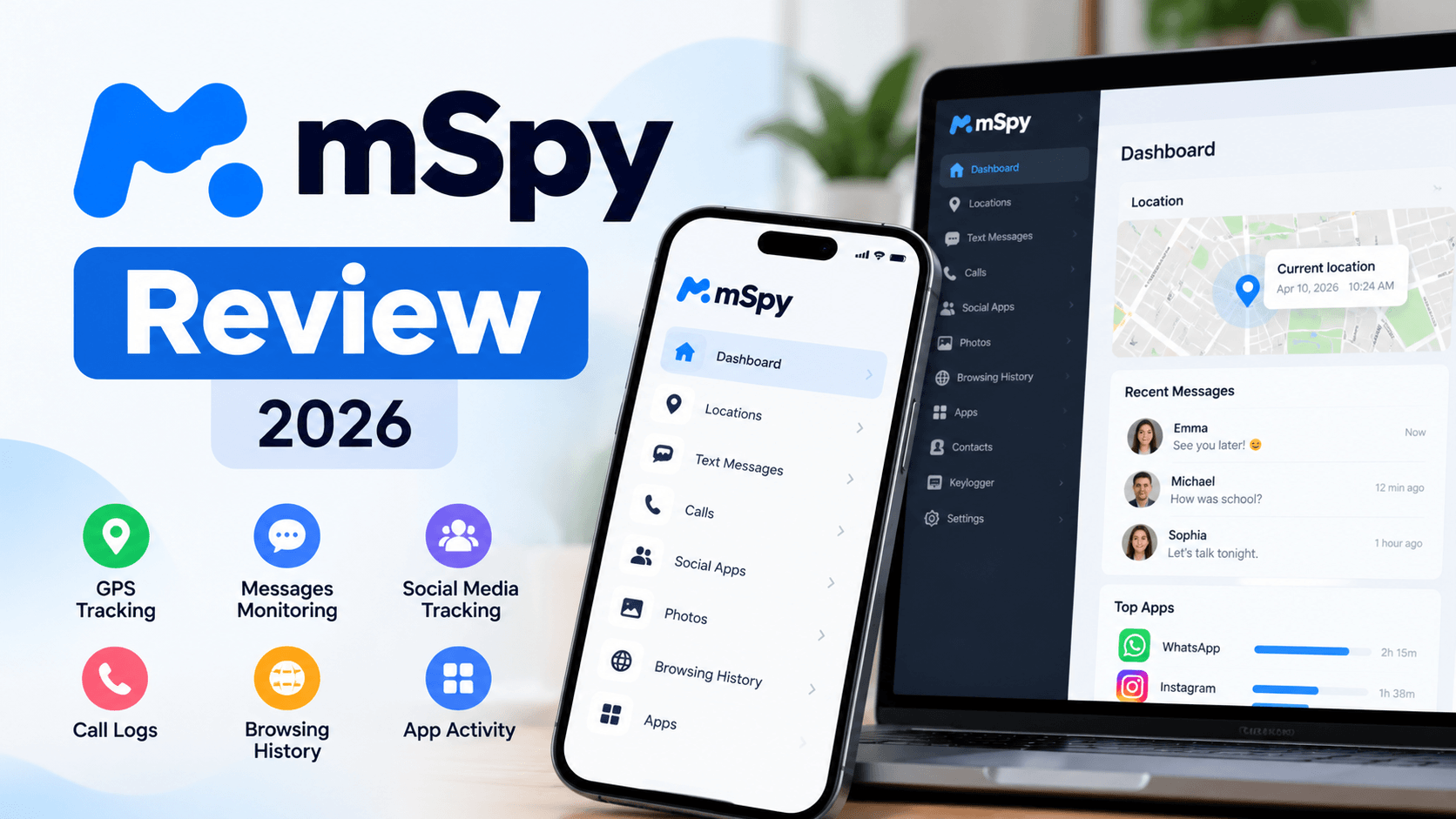
According to its official website, the platform offers monitoring features across several categories, including:
- GPS location information.
- Geofencing alerts.
- Text messages and call information.
- Supported social messaging applications.
- Browsing history.
- Photos and other device information.
- Keyword alerts.
- Keylogging and screen recording on supported configurations.
Not every feature is available on every device.
The actual capabilities depend on factors such as the operating system, device model, software version, permissions, monitoring method, and subscription.
How Does mSpy Work?
In general, mSpy involves a paid subscription, an eligible device, a compatible monitoring method, and access to an online dashboard.
Its Android and iPhone monitoring approaches differ substantially.
Android functionality commonly relies on software installed on the device with relevant permissions.
For iPhones, mSpy describes several methods involving device access, synchronization, or account-based requirements.
These methods do not provide identical access to information.
It’s important to review the compatibility requirements before purchasing rather than assuming every advertised feature will work on your family’s phones.
mSpy Features Explained
mSpy advertises a broad set of monitoring tools. The following are among its most relevant features for families.
1. GPS Location Tracking
mSpy promotes GPS-based location monitoring to help users view a device’s location.
This may appeal to parents who want to know whether a child has arrived at school or returned home.
However, location accuracy and update frequency can depend on connectivity, device settings, permissions, and the monitoring method.
Location tracking should be discussed openly whenever appropriate and used in accordance with applicable laws.
If your primary goal is simply to share locations within your household, you may not need an extensive monitoring product.
Our guide to the best family location sharing apps explores tools designed specifically for that purpose.
2. Geofencing Alerts
Geofencing lets a service define a virtual boundary around a location.
For example, a parent might want a notification when a child’s device enters or leaves a designated area.
mSpy advertises geofencing as part of its location monitoring capabilities.
Before relying on this feature, verify that it is supported by your intended device and monitoring configuration.
No location service should be treated as a guaranteed real-time safety system.
3. Text Message Monitoring
mSpy advertises access to text message information on supported devices.
Depending on the platform and monitoring method, available information may differ.
Parents considering message monitoring should think carefully about the balance between safety and privacy.
Reading a child’s private conversations is a significant intervention and may not be necessary for ordinary digital parenting.
It can also involve communications from other people who have not agreed to be monitored.
4. Social Media Monitoring
mSpy lists support for monitoring activity associated with messaging and social platforms, including WhatsApp, Instagram, Snapchat, Telegram, and others.
However, a platform appearing on a feature list doesn’t guarantee that all conversations or content will be accessible on every device.
Social apps frequently change their software, security controls, and operating system permissions.
Check the exact app, phone model, operating system, and subscription before assuming a feature is supported.
5. Browsing History and Website Controls
mSpy advertises browsing history monitoring and certain website or application blocking capabilities.
These features may help parents understand some aspects of a child’s online activity.
However, monitoring browsing history is not the same as providing comprehensive age-based web filtering.
If your priority is to prevent access to inappropriate content or manage screen time, compare dedicated parental control products before choosing mSpy.
6. Keylogger and Screen Recorder
Some mSpy configurations advertise keylogging and screen recording.
A keylogger captures information about what is typed on a device, while screen recording or screenshot-based monitoring may capture displayed content.
These are highly intrusive capabilities.
They may expose passwords, private conversations, financial information, and sensitive data unrelated to the intended safety purpose.
They also raise serious questions about consent, security, and proportionality.
For most routine parenting needs, it’s worth considering less intrusive tools first.
7. Keyword Alerts
mSpy advertises keyword-based monitoring features on supported configurations.
In principle, these may help identify certain terms appearing in monitored activity.
But keyword detection has limitations.
A word can appear in a harmless conversation, a joke, a quotation, or a discussion about seeking help.
Automated alerts require context and shouldn’t be treated as proof of dangerous behavior.
8. Activity Dashboard
mSpy provides an online control panel for viewing information collected through supported monitoring methods.
A dashboard can make activity data easier to organize, but the usefulness of that information depends on whether the underlying monitoring features work consistently.
A large amount of data isn’t necessarily better for family safety.
Parents should consider what information they actually need and how they will respond to it.
mSpy Pricing: How Much Does It Cost?
mSpy uses a subscription-based pricing model.
Costs can vary according to subscription length, product tier, promotional offers, and additional services.
A September 2026 TechRadar review reported the following annual-billing reference prices:
| Plan | Reported Monthly Equivalent | Important Detail |
|---|---|---|
| Premium, annual billing | $11.67/month | Paid as part of an annual subscription |
| Extreme, annual billing | $23.99/month | Reported as an Android-focused premium tier |
| Family Kit | Varies | Multi-device option; confirm current quotation |
These figures are reference prices, not verified live checkout offers. They may change, and the monthly equivalent should not be confused with a month-to-month subscription.
For example, $11.67 per month over 12 months is approximately $140 in total before any applicable taxes or adjustments.
A lower monthly equivalent can therefore still involve a substantial upfront commitment.
What Should You Check Before Paying?
Before purchasing mSpy, confirm:
- The full amount charged at checkout.
- The billing period.
- Whether the subscription renews automatically.
- The number of devices included.
- Whether the features you need are included in your plan.
- Any additional setup or support charges.
- The cancellation procedure.
- The refund conditions.
Don’t choose a plan solely because a promotional page displays a low monthly figure.
Does mSpy Offer a Free Trial?
mSpy has promoted free-trial-related offers, but its official free-tracker page states that trial requests are currently unavailable.
Availability may change.
You should not assume that a free trial will be offered at checkout.
What Is mSpy’s Refund Policy?
mSpy’s FAQ describes a process for requesting a refund within 14 days of purchase, subject to its refund policy and applicable conditions.
A 14-day request window is not the same as an unconditional money-back guarantee.
Review the full refund policy before purchasing, particularly if device compatibility is uncertain.
mSpy on iPhone vs. Android: What’s the Difference?
Compatibility is one of the most important factors in this mSpy review.
mSpy markets its software for both Android and iPhone, but that doesn’t mean the experience is equivalent.
mSpy for Android
Android generally offers a broader range of mSpy monitoring features.
The company’s compatibility documentation lists capabilities such as location monitoring, messaging-related information, browsing activity, and geofencing for supported Android configurations.
However, functionality may depend on device permissions, manufacturer restrictions, software versions, and the specific subscription.
Some advanced monitoring methods may involve security-sensitive device changes.
These can increase privacy and device security risks.
If you’re comparing products specifically for an Android device, see our guide to the best parental control apps for Android.
mSpy for iPhone
iPhone monitoring is more complicated.
Apple’s security architecture restricts how third-party software can access data.
mSpy describes different iPhone monitoring methods, including certain synchronization-based approaches.
The data available through these methods varies.
For example, some synchronization configurations may require device access, account authorization, compatible backups, or a computer.
You should not assume that every feature shown in mSpy’s general advertising is available through every iPhone monitoring option.
iPhone vs. Android Comparison
| Consideration | Android | iPhone |
|---|---|---|
| Overall monitoring scope | Generally broader | Often more restricted |
| Setup requirements | Device access and permissions | Depends on synchronization or other supported methods |
| Social app monitoring | Available for some supported configurations | More dependent on method and compatibility |
| GPS tracking | Advertised on supported configurations | Method-dependent |
| Keylogging and advanced monitoring | Device- and configuration-dependent | More restricted |
| Ease of setup | Can still be complicated | May require additional steps or equipment |
| Best advice | Verify exact model and OS | Verify the specific iPhone method and data available |
Our assessment: If you’re considering mSpy for an iPhone, investigate compatibility especially carefully before paying.
The phrase “works on iPhone” doesn’t tell you which features will work on your particular device.
Does mSpy Really Work?
mSpy is an established commercial product with documented monitoring features.
However, that doesn’t mean every advertised feature will work consistently on every supported phone.
The company itself acknowledges in its compatibility policy that some features may not function correctly on certain devices, even when those devices meet stated compatibility requirements.
Independent reviews also describe setup challenges and differences between Android and iPhone functionality.
What Can Affect mSpy Performance?
Possible factors include:
- Device model.
- Operating system version.
- Security restrictions.
- Permissions.
- Monitoring method.
- Network connectivity.
- Changes to supported apps.
- Subscription tier.
A successful setup on one Android device doesn’t guarantee the same experience on another phone.
Similarly, a feature described in marketing materials may require conditions that don’t apply to your device.
What We Can and Cannot Verify
Public documentation confirms that mSpy markets and supports multiple monitoring capabilities.
However, without controlled hands-on testing, FamiWise cannot independently verify its real-world reliability, data update intervals, battery impact, or success rate on individual devices.
That distinction matters when making a purchase decision.
Is mSpy Legit?
Yes, mSpy is a real commercial monitoring service with an established website, published policies, product documentation, and a substantial history of customer reviews.
But being a legitimate commercial product doesn’t mean it’s the right choice for every user.
It also doesn’t guarantee that every feature will meet expectations.
When assessing whether mSpy is trustworthy, consider several separate questions:
- Is the company real?
- Does the product support my device?
- Are the subscription terms clear?
- How does the company handle sensitive information?
- What do independent customers report?
- Is my intended use lawful and appropriate?
These questions are more useful than relying on a simple yes-or-no answer.
mSpy Customer Reviews: What Do Users Say?
Customer feedback is mixed.
At the time of this review, mSpy’s Trustpilot profile displayed approximately 3.1 out of 5, based on more than 6,000 reviews.
That figure is a third-party customer review score, not a rating assigned by FamiWise.
Some reviewers describe positive experiences with monitoring functions or technical support.
Others report concerns involving:
- Technical reliability.
- Data updates.
- Setup difficulties.
- Customer service.
- Billing questions.
- Refund expectations.
These reports can help identify possible issues, but individual reviews are not controlled performance tests.
Customer experiences may also differ substantially by device, plan, and date of purchase.
How Much Weight Should You Give Customer Reviews?
Look for patterns across detailed reviews rather than relying on a single glowing testimonial or negative complaint.
Pay particular attention to reviews mentioning the same phone model, operating system, and feature you’re considering.
Also review the company’s responses to complaints.
A product with many reviews may provide useful insight into customer experiences, but the overall score doesn’t establish whether it will work for your device.
Is mSpy Safe to Use?
Safety involves more than whether an app contains malicious software.
For a monitoring service, you should also consider what data it collects, how much access it requires, how information is protected, and who can view the results.
Sensitive Information Collection
Detailed monitoring may expose:
- Private conversations.
- Location history.
- Contacts.
- Photos.
- Browsing information.
- Account-related information.
- Data belonging to third parties.
The more sensitive the information collected, the greater the potential impact of unauthorized access or misuse.
Device Security
Some advanced monitoring approaches may involve modifications or permissions that affect device security.
Rooting or jailbreaking can weaken built-in security protections and may create additional risks.
For ordinary family safety needs, avoid security-sensitive device modifications unless you fully understand the implications and have a lawful, authorized reason.
Privacy and Consent
Parents and guardians may have legitimate reasons to supervise a child’s digital activity.
However, appropriate monitoring should consider the child’s age, maturity, safety needs, and applicable laws.
Transparent family rules and proportionate safeguards are often better starting points than extensive hidden surveillance.
Monitoring another adult’s private device or communications without valid authorization can violate privacy laws and personal boundaries.
mSpy should not be used to secretly monitor a spouse, partner, employee, or another adult without appropriate authorization and a lawful basis.
Is mSpy Legal?
The legality of phone monitoring depends on several factors, including:
- Your jurisdiction.
- Who owns or controls the device.
- The age of the person using it.
- Whether valid consent or legal authority exists.
- What information is being collected.
- Whether communications are being intercepted or recorded.
Rules concerning parental supervision, recording, interception, and privacy can differ significantly.
Owning or paying for a device does not automatically authorize every form of monitoring.
Likewise, being married to someone does not give you unrestricted access to their private messages.
If you’re uncertain about the legal implications, consult a qualified legal professional before using monitoring software.
This article is not legal advice.
mSpy Pros and Cons
| Pros | Cons |
|---|---|
| Broad range of advertised monitoring features | More intrusive than many conventional parental control apps |
| GPS and geofencing capabilities | Feature availability varies by device and monitoring method |
| Message and activity monitoring on supported configurations | iPhone limitations can be significant |
| Centralized activity dashboard | Setup may be complicated |
| Multiple subscription options | Costs can be high, especially with additional services |
| May address specific parental safety concerns | Privacy, consent, and data security concerns |
| Android generally offers broader monitoring capabilities | Limited appeal for families seeking simple screen-time controls |
The biggest advantage of mSpy is its monitoring depth.
The biggest drawback is that many families may not need that level of access—and obtaining it can introduce complexity and risk.
mSpy vs. Other Parental Control Apps
mSpy isn’t the only option for managing a child’s digital life.
Different services prioritize different goals.
| Product | General Focus | Best Starting Point For |
|---|---|---|
| mSpy | Detailed device activity monitoring | Families considering extensive monitoring on authorized devices |
| Bark | Online safety alerts and family supervision | Parents seeking risk-focused alerts |
| Qustodio | Screen time, filtering, and parental controls | Families prioritizing everyday device rules |
| Google Family Link | Android-focused family supervision | Families using supported Android and Google accounts |
| Apple Screen Time | Built-in Apple device controls | Families using iPhone and iPad |
These products aren’t direct substitutes in every respect.
For example, a family seeking app approval and screen-time schedules may find that Google Family Link or Apple Screen Time covers much of what they need.
A family seeking online safety alerts may prefer a product designed around identifying potentially concerning activity rather than collecting extensive message records.
Our broader guide to the best parental control apps compares options for different family needs.
Should You Choose mSpy or a Traditional Parental Control App?
Start by identifying your actual goal.
If you want to manage device time, restrict certain content, and create family technology rules, conventional parental controls are often the more practical starting point.
If you believe detailed monitoring is necessary because of a specific safety concern, assess whether the benefits justify the privacy and security implications.
The most feature-rich product isn’t automatically the safest or most appropriate choice.
Who Should and Shouldn’t Use mSpy?
mSpy May Be Worth Considering If:
- You’re a parent or guardian with a specific, legitimate safety concern.
- You understand the monitoring capabilities and privacy implications.
- You have the necessary authorization.
- You’ve confirmed the exact features supported by the device.
- Less intrusive alternatives don’t adequately address your needs.
- You’re comfortable with the subscription terms.
mSpy Is Probably Not a Good Fit If:
- You mainly want basic screen-time management.
- You only need transparent family location sharing.
- You’re looking for a simple, low-cost solution.
- You expect identical features on iPhone and Android.
- You don’t want to manage complicated compatibility requirements.
- You intend to access another adult’s private communications without valid authorization.
For many families, starting with device-native parental controls and open conversations about digital safety is a more proportionate approach.
Is mSpy Worth It in 2026?
mSpy may be worth considering for a narrow group of users who genuinely need detailed monitoring and have verified that the relevant features work on their authorized devices.
However, we wouldn’t recommend it as the default choice for every parent.
Its monitoring capabilities are extensive, but the trade-offs matter.
Before buying, ask yourself:
- What specific safety problem am I trying to solve?
- Can a less intrusive app solve it?
- Does mSpy support the exact features I need on this phone?
- Have I reviewed the total subscription cost?
- Do I understand the cancellation and refund conditions?
- Is the intended monitoring lawful, appropriate, and proportionate?
- How will I protect the sensitive information collected?
If you can’t answer these questions confidently, delay the purchase.
Our Final Recommendation
For ordinary digital parenting—screen-time limits, age-appropriate content controls, and family location sharing—start with dedicated parental control tools.
Consider mSpy only when its additional monitoring capabilities address a clearly defined, legitimate need that simpler solutions cannot meet.
Even then, compatibility and privacy deserve as much attention as the feature list.
Frequently Asked Questions
1. Is mSpy legit?
Yes. mSpy is an established commercial phone monitoring service. However, product legitimacy doesn’t guarantee that every advertised feature will work on your device or meet your expectations.
2. Does mSpy really work?
mSpy provides documented monitoring features for supported configurations, but performance and available data vary by device, operating system, permissions, and monitoring method.
3. How much does mSpy cost?
mSpy uses subscription pricing. A September 2026 third-party review reported Premium annual billing at approximately $11.67 per month when expressed as a monthly equivalent. Check the current checkout price and total billed amount before purchasing.
4. Does mSpy work on iPhone?
mSpy offers iPhone monitoring methods, but functionality is more restricted and dependent on specific requirements than many Android configurations. Verify your exact iPhone model, iOS version, and supported monitoring method.
5. Does mSpy work on Android?
mSpy supports many Android devices, although individual features may depend on the operating system, permissions, device manufacturer, and monitoring configuration.
6. Can mSpy monitor WhatsApp?
mSpy advertises WhatsApp monitoring for supported configurations. Availability and the information accessible can differ by device and monitoring method.
7. Does mSpy have a free trial?
Its official free-tracker page currently states that free trial requests are unavailable. Check the website for any updated offers before making a purchase.
8. Can I cancel mSpy?
mSpy provides subscription and support processes, but cancellation and refund eligibility are not necessarily the same thing. Review the current subscription terms and follow the official cancellation instructions.
9. Does mSpy offer refunds?
mSpy’s FAQ describes refund requests within 14 days of purchase, subject to its refund policy. Approval is not unconditional, so review the full policy before buying.
10. Is mSpy legal for parents?
Parental monitoring laws vary by jurisdiction and circumstances. Parents should consider the child’s age, the information collected, device ownership, consent requirements, and applicable laws.
11. Is mSpy better than Bark or Qustodio?
Not necessarily. mSpy emphasizes detailed activity monitoring, while Bark and Qustodio focus on different combinations of online safety, alerts, filtering, and device management. The best choice depends on your family’s needs.
12. Is mSpy worth the money?
It may be worth considering if you have a legitimate need for detailed monitoring and the necessary features are compatible with your device. For basic parental controls, a simpler alternative may offer better value.
Final Thoughts
mSpy is a powerful but specialized monitoring product.
Its extensive feature list may look appealing, especially if you’re worried about your child’s online safety.
But responsible digital parenting isn’t about collecting as much information as possible.
It’s about identifying genuine risks, choosing proportionate safeguards, and building trust alongside appropriate supervision.
Before paying for mSpy, verify device compatibility, understand the subscription terms, review the privacy implications, and compare less intrusive alternatives.
For most families seeking everyday parental controls, simpler tools are a better starting point.
For families with a specific, lawful need for more detailed monitoring, mSpy may warrant further consideration—but only after careful evaluation.
Sources and Further Reading
- mSpy — Official Features
- mSpy — Compatibility Policy
- mSpy — Frequently Asked Questions
- mSpy — Official Website
- TechRadar — mSpy Parental Control Software Review
- Trustpilot — mSpy Customer Reviews
Research checked: October 29, 2026. Product information, subscription terms, review scores, and compatibility requirements can change. This article is informational and does not constitute legal advice.