
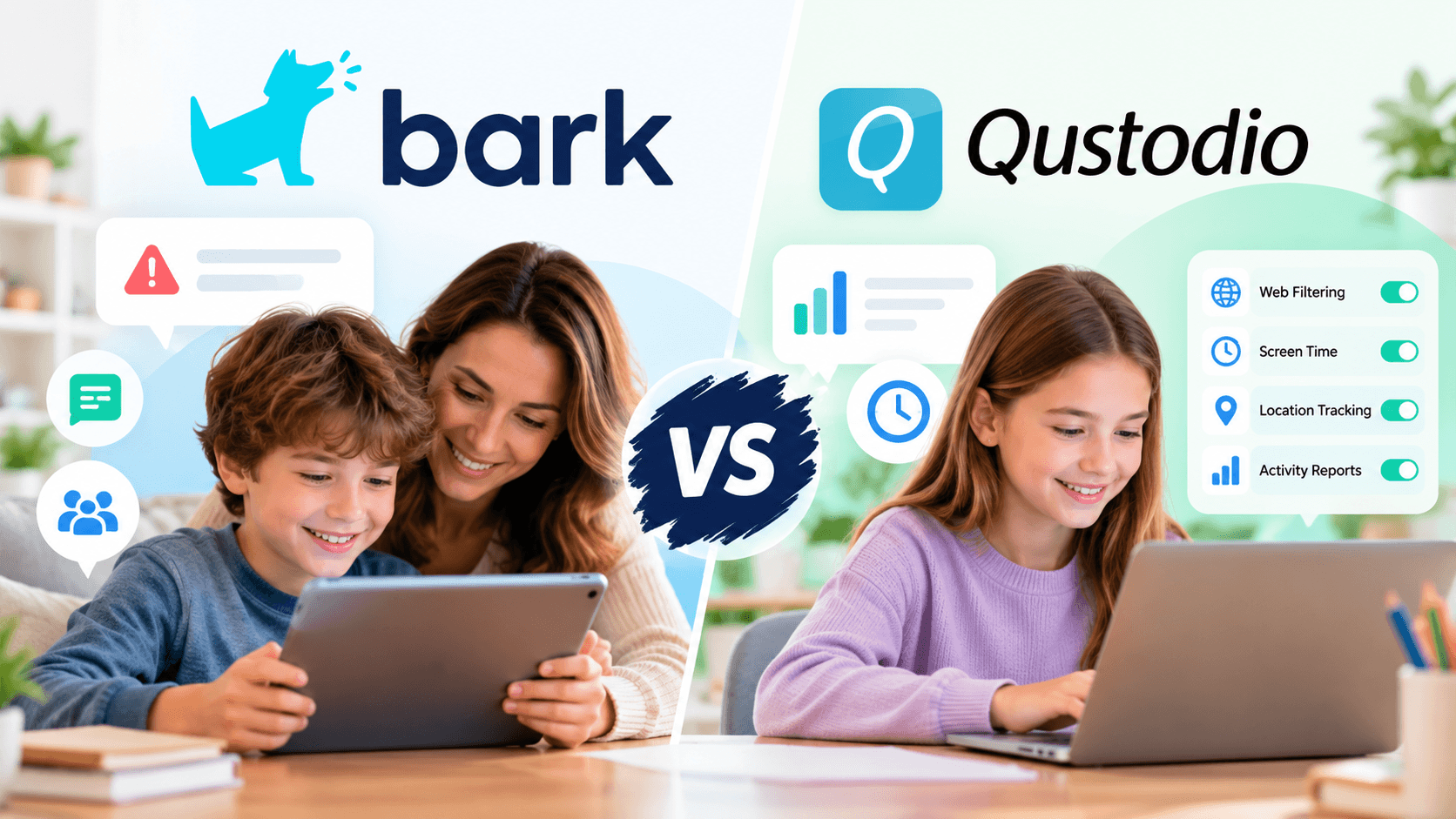
Bark vs. Qustodio: which parental control app should you choose for your family?
Both apps help parents manage children’s digital lives, but they approach online safety differently.
Bark is best known for identifying potentially concerning content across supported messages, social media accounts, and online activity. Qustodio has traditionally focused on screen time, website filtering, app management, and detailed activity reports.
However, that distinction is no longer absolute. In 2026, Qustodio also offers AI-powered alerts and social message monitoring on supported devices.
So the real question isn’t simply which app has more features. It’s which one solves your family’s biggest problem.
Our quick verdict:
- Choose Bark if your main concern is potentially harmful online conversations, cyberbullying, or other risks across supported digital platforms.
- Choose Qustodio if you prioritize daily screen-time limits, app-specific rules, web filtering, and detailed device management.
- Consider Qustodio Basic if you need affordable parental controls for a small number of devices.
- Compare Bark Premium and Qustodio Complete if you want more advanced monitoring capabilities.
This Bark vs. Qustodio comparison covers features, pricing, iPhone and Android compatibility, social media monitoring, privacy, and the best choice for different ages.
Editorial disclosure: This is a research-based comparison using official product information and support documentation. FamiWise has not independently installed or performance-tested both products. Prices, features, and compatibility may change.
Bark vs. Qustodio: Quick Comparison
| Feature | Bark | Qustodio |
|---|---|---|
| Main focus | Online risk detection and parental alerts | Screen-time management and family digital safety |
| Social media monitoring | Broad supported-platform coverage | Selected social platforms and message alerts |
| AI-powered alerts | Yes | Yes |
| Screen-time schedules | Yes | Yes |
| Individual app time limits | More schedule-oriented | Stronger emphasis on app-specific limits |
| Website filtering | Yes | Yes |
| App blocking | Yes | Yes |
| Location tracking | Yes | Yes |
| Activity reporting | Risk-focused alerts | Detailed usage and activity reports |
| iPhone support | Yes, with monitoring-method limitations | Yes, with feature limitations |
| Android support | Yes | Yes |
| Free ongoing plan | No comparable full free plan | Yes, for one device |
| Premium family device coverage | Unlimited devices | Up to 5 on Basic; unlimited on Complete |
Our Recommendation at a Glance
Best for social media safety: Bark
Bark is a strong candidate for families who want alerts about potentially concerning content rather than routinely reviewing every activity report.
Best for screen-time management: Qustodio
Qustodio offers a more structured approach to daily limits, app rules, and device usage.
Best low-cost starting point: Qustodio Free
Its free version offers basic protection for one device.
Best for families with many devices: Compare Bark Premium and Qustodio Complete
Both support broad family coverage, but their monitoring capabilities and pricing differ.
What Is Bark?

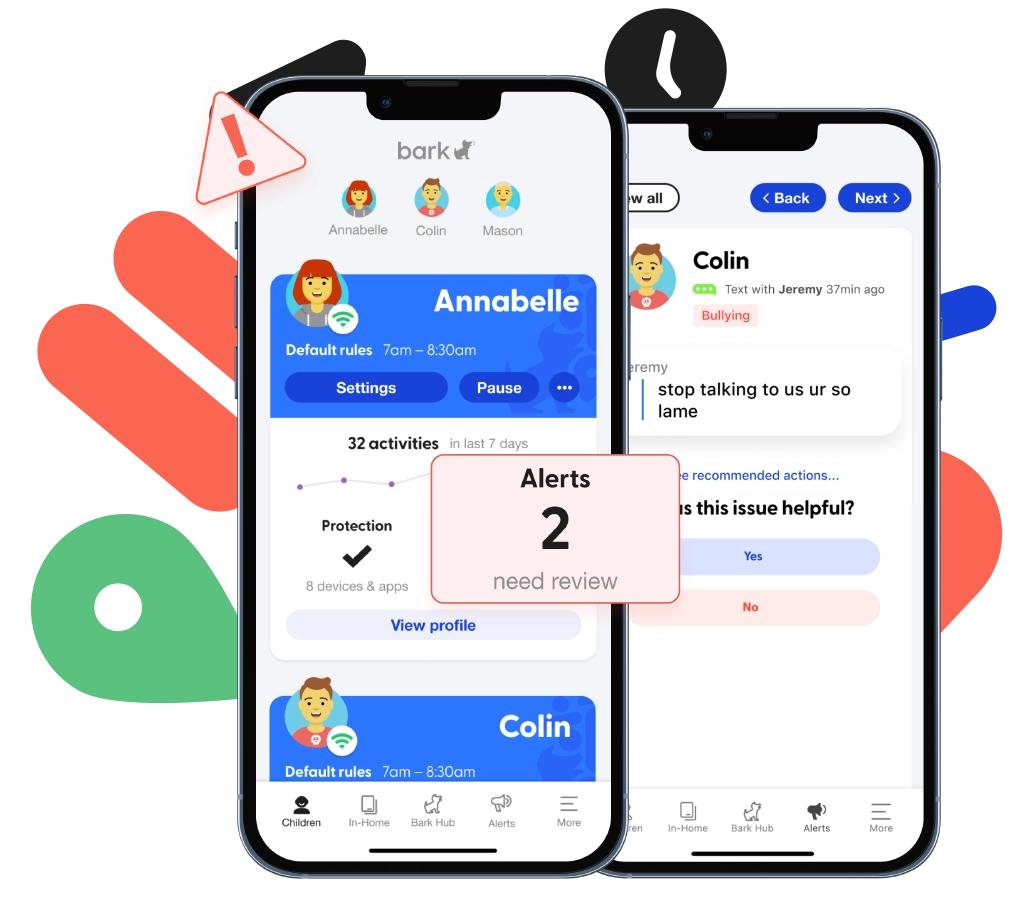
Bark is a parental control and online safety service that combines content monitoring with screen-time controls, web filtering, and location features.
Its distinguishing feature is automated analysis of supported online activity.
Instead of requiring parents to manually inspect every conversation, Bark looks for potential safety concerns and sends alerts.
Depending on the connected device, account, and subscription, Bark can help identify topics involving:
- Cyberbullying.
- Online predators.
- Self-harm.
- Violence.
- Drugs and alcohol.
- Sexual content.
- Other potentially concerning interactions.
Bark also provides website and app blocking, screen-time schedules, and location-sharing features.
How Does Bark Monitoring Work?
Bark analyzes information from supported devices and connected accounts.
Its system looks for patterns or content associated with potential risks.
When it identifies a concern, parents may receive an alert containing information intended to help them understand the situation.
However, Bark does not provide identical monitoring across every app or device.
Some platforms require account connections, while iPhone device monitoring may require a computer, Bark Sync, or another supported monitoring method.
Bark also offers dedicated hardware products, including Bark Phone and Bark Watch, which should not be confused with the standard Bark App subscription.
What Is Qustodio?

Qustodio is a parental control service focused on helping families establish digital boundaries and supervise device use.
Its main features include:
- Daily screen-time limits.
- Website filtering.
- App and game controls.
- Device usage reports.
- Location monitoring.
- Scheduled device restrictions.
- Selected messaging and social media monitoring.
- AI-powered safety alerts.
Qustodio supports several operating systems, including Android, iOS, Windows, macOS, and other supported platforms.
How Does Qustodio Work?
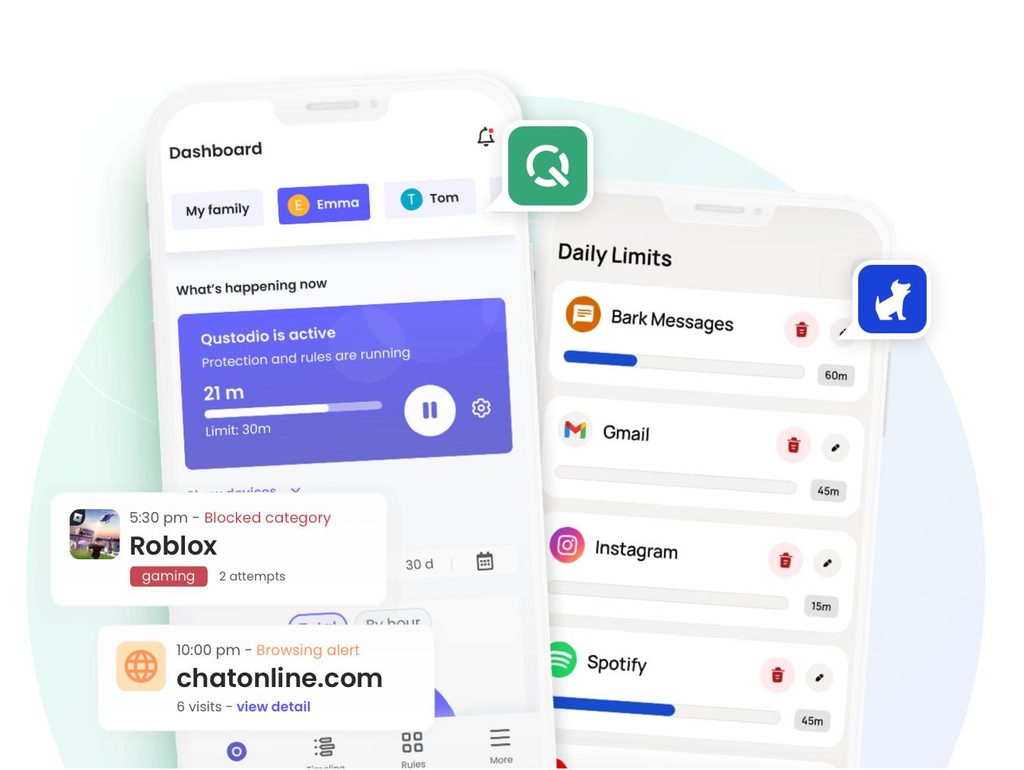
Parents create an account, configure the child’s device, and manage rules through the parent dashboard.
Depending on the subscription and device, parents can set time limits, block certain apps or websites, review activity, and receive alerts.
Qustodio’s strength is its combination of supervision and everyday device management.
For example, a parent may want to allow educational apps after school while limiting gaming or entertainment time.
Qustodio is designed to support that type of structured approach.
Its advanced monitoring features also deserve attention. Qustodio now provides selected social message alerts and AI-based detection, so it should not be described as a screen-time-only product.
Bark vs. Qustodio: Feature-by-Feature Comparison
1. Social Media Monitoring
Our preference: Bark for broader risk-focused monitoring, subject to platform compatibility.
Social media monitoring is one of Bark’s main selling points.
Bark advertises coverage across numerous online platforms and services, although the exact data available varies.
Parents can connect supported accounts and configure alerts for potentially concerning activity.
This approach may be useful for teenagers who communicate through several platforms.
However, support for a platform does not mean Bark can read every message, image, or interaction.
Device restrictions, app changes, account permissions, and monitoring methods all matter.
What About Qustodio?
Qustodio has expanded its social monitoring capabilities.
Its official documentation describes AI-powered alerts for concerning conversations on supported services, including WhatsApp, Instagram direct messages, Snapchat, TikTok, X, and LINE.
Depending on the device and feature, alerts may include contextual excerpts of flagged conversations.
That is a meaningful improvement over older comparisons suggesting Qustodio has no social monitoring.
Nevertheless, the two products differ in platform coverage, setup, and the types of activity they can analyze.
Bottom line: Bark is worth considering first if social and message risk alerts are your top priority. Qustodio may be sufficient if the specific platforms your child uses are supported.
2. Screen-Time Management
Our preference: Qustodio.
Qustodio places strong emphasis on managing how long children use their devices.
Depending on the plan and platform, parents can configure:
- Daily device time limits.
- Individual app and game limits.
- Internet pauses.
- Scheduled restrictions.
- Custom routines.
- Website and app rules.
This makes Qustodio particularly attractive for families trying to establish consistent homework, bedtime, and recreational screen-time routines.
Does Bark Have Screen-Time Controls?
Yes.
Bark offers customizable schedules and website or app blocking.
Parents can create rules for different times of day and manage access to online content.
However, Bark’s standard approach is more focused on access schedules and risk monitoring than the granular app-specific time budgeting associated with Qustodio.
Bottom line: If your biggest concern is excessive gaming, social media time, or daily device limits, start by comparing Qustodio’s plans.
3. Website Filtering
Result: Both are viable choices.
Bark and Qustodio both offer website filtering and blocking.
Parents can restrict access to certain categories of websites and configure family rules.
Bark combines these controls with broader risk alerts.
Qustodio integrates filtering into its structured device management system.
The effectiveness of filtering can depend on browsers, operating systems, permissions, and technical limitations.
No parental control app can guarantee that every inappropriate website will be blocked.
For younger children, filtering should be combined with age-appropriate device settings and conversations about online safety.
4. App Blocking and Management
Our preference: Qustodio for detailed app rules.
Qustodio allows parents to manage supported games and apps, including setting restrictions and time limits.
This can be useful when a child needs access to educational tools but spends too much time on entertainment apps.
Bark also offers app and website blocking, particularly through scheduled routines.
However, its capabilities differ between the Bark App and dedicated Bark hardware.
Important iPhone Limitation
Apple’s operating system restricts what third-party parental control services can observe and control.
Qustodio explains that some iOS apps cannot be blocked or accurately measured using its network-based monitoring approach.
For example, cached content may remain accessible even after an app’s internet connection is blocked.
Bottom line: Qustodio offers strong app management options, but parents should verify compatibility with the exact apps they want to restrict.
5. Location Tracking
Result: Both support family location features.
Bark and Qustodio provide location-related tools designed to help parents supervise children.
These may include location visibility and certain location alerts, depending on the plan.
For families primarily interested in knowing when a child arrives at school, either product may offer relevant functionality.
However, location accuracy depends on the device’s GPS, connectivity, permissions, and background settings.
Neither app should be treated as a guaranteed real-time emergency tracking system.
If location sharing is your main priority, a dedicated family location app may be more appropriate.
Our guide to the best family location sharing apps compares tools designed around that purpose.
6. Activity Reports
Our preference: Qustodio for detailed usage visibility.
Qustodio emphasizes activity reports and information about how children use supported devices.
These reports can help parents identify patterns, such as unusually long gaming sessions or changes in browsing habits.
Bark takes a different approach.
Its most distinctive feature is highlighting potentially concerning content rather than asking parents to inspect every activity detail.
Neither philosophy is automatically better.
Some parents prefer detailed reports. Others want to know about significant risks without closely reviewing ordinary digital activity.
Bark vs. Qustodio Pricing in 2026
Price is an important factor, especially for families managing multiple devices.
The following figures reflect published U.S. subscription information reviewed in October 2026.
| Plan | Published Price | Device Coverage |
|---|---|---|
| Bark Jr | $5/month or $49/year | Unlimited family devices |
| Bark Premium | $14/month or $99/year | Unlimited family devices |
| Qustodio Free | $0 | 1 device |
| Qustodio Basic | $59.95/year | Up to 5 devices |
| Qustodio Complete | $104.95/year | Unlimited devices |
Prices exclude applicable taxes and may change with promotions, region, or billing terms. Qustodio’s published paid plans are annual subscriptions; a monthly equivalent is not necessarily a monthly billing option.
Bark Jr vs. Bark Premium
Bark Jr provides foundational parental controls such as screen-time schedules, website and app blocking, and location features.
Bark Premium adds Bark’s advanced content monitoring and risk alerts.
If your main reason for choosing Bark is social media monitoring, Bark Premium is the relevant plan to evaluate.
Do not assume Bark Jr includes all the content monitoring features advertised for Premium.
Qustodio Basic vs. Complete
Qustodio Basic covers core parental controls for up to five devices.
Qustodio Complete provides more advanced features, additional customization, and unlimited device coverage according to its current main pricing page.
Families considering social message monitoring, advanced alerts, and detailed customization should compare the Complete feature list carefully.
Which Is Cheaper?
For a small family seeking core parental controls, Qustodio Basic is competitively priced at $59.95 per year.
Bark Premium costs $99 annually, compared with Qustodio Complete at $104.95 annually.
That makes their advanced annual plans relatively close in price.
But the comparison isn’t simply $99 versus $104.95.
Bark’s advanced monitoring, Qustodio’s app management features, and each product’s device compatibility may be more important than the small annual price difference.
What About Additional Costs?
Bark also sells optional hardware products and monitoring accessories.
For example, Bark Sync is an additional option for iPhone monitoring and is not automatically included in every Bark App subscription.
Bark Phone and Bark Watch have separate hardware and service costs.
Before purchasing, check the total cost of the specific setup your family needs.
Bark vs. Qustodio for iPhone
There is no universal iPhone winner. The better option depends on what you want to monitor.
Both products face restrictions imposed by Apple’s security architecture.
Bark on iPhone
Bark offers screen-time controls, filtering, and location-related features through supported apps and configurations.
However, monitoring certain iPhone content requires additional methods.
Bark describes options involving:
- Bark Sync.
- Bark Desktop App on a computer.
- Bark Home.
- Direct connections to certain supported online accounts.
Its iPhone monitoring may include supported text messages, iMessages, photos, videos, and other content, depending on the setup.
These scans are not necessarily real-time.
For example, Bark’s computer-based approach scans supported content when the device is available through the required connection.
Qustodio on iPhone
Qustodio provides supported iPhone screen-time controls, web filtering, app monitoring, and location features.
Its calls and messages monitoring requires additional setup involving a compatible computer.
Qustodio’s official documentation also describes social monitoring alerts for selected platforms.
Certain iOS apps cannot be blocked or accurately measured because of technical limitations.
iPhone Comparison
| Need | Bark | Qustodio |
|---|---|---|
| Website filtering | Supported | Supported |
| Screen-time schedules | Supported | Supported |
| App-specific limits | More limited and method-dependent | Available for compatible apps |
| Message risk alerts | Requires supported monitoring methods | Requires supported setup and plan |
| Location features | Supported | Supported |
| Extra setup for message monitoring | Often required | Required for relevant iOS features |
Our recommendation: For iPhone screen-time rules, compare Qustodio first. For content risk alerts, investigate Bark’s iPhone monitoring methods and any extra equipment before subscribing.
Neither product should be assumed to provide complete, instantaneous access to all iPhone communications.
Bark vs. Qustodio for Android
Android generally offers more flexibility for third-party parental control apps.
Both Bark and Qustodio support Android devices, but the best choice still depends on your priorities.
Choose Bark for Android If:
- You want automated alerts about concerning online activity.
- Your child uses supported messaging or social platforms.
- You prefer risk-focused notifications over reviewing extensive activity logs.
- You also want basic screen-time schedules and filtering.
Choose Qustodio for Android If:
- You want detailed app and game limits.
- Daily screen-time rules are your main priority.
- You want structured reports.
- You need website filtering and customizable routines.
- You want to combine device management with selected online safety alerts.
Android permissions and device manufacturer restrictions can affect both products.
For more options, see our guide to the best parental control apps for Android.
Which Is Better for Social Media Monitoring?
Bark has the stronger risk-monitoring focus, but Qustodio is a genuine competitor in 2026.
Bark is built around identifying potential risks in supported digital content.
Its alerts can help parents recognize situations that may deserve a conversation.
Qustodio now offers AI-powered social monitoring for selected platforms, so families should compare actual coverage rather than rely on older reviews.
What Should Parents Check?
Before buying either app, ask:
- Which social platforms does my child actually use?
- Does the app support those platforms on my child’s operating system?
- Does it analyze message content, app usage, or both?
- Are alerts immediate or delayed?
- Does the feature require a computer or additional hardware?
- What happens if the child uses a different account or device?
- How much private information will parents receive?
A long list of supported platforms is not enough.
The details of the monitoring method matter.
Are AI Alerts Always Accurate?
No.
Automated systems can misunderstand context.
A message discussing self-harm prevention, for example, is not the same as a message expressing immediate danger.
Likewise, an automated system may miss concerning activity that happens outside its supported sources.
Use alerts as prompts for careful conversations, not as definitive judgments.
Which Is Better for Screen Time and App Blocking?
Qustodio is our preferred starting point for families focused on daily device habits.
Its structured approach makes sense for common parenting challenges such as:
- Too much gaming.
- Late-night phone use.
- Excessive social media scrolling.
- Difficulty following homework routines.
- Repeated arguments about device time.
Bark can also manage schedules and access, so it shouldn’t be dismissed.
But if detailed app-by-app limits are the deciding factor, Qustodio’s feature set is especially relevant.
A Practical Example
Suppose your child needs access to educational apps after school but tends to spend too long gaming.
With a suitable Qustodio plan, you can configure daily limits and restrictions for supported games and apps.
Bark may be a better match if your concern is less about gaming duration and more about potentially harmful conversations taking place online.
This difference illustrates why the right parental control app depends on the problem you’re trying to solve.
Privacy, Trust, and Responsible Parental Monitoring
Both Bark and Qustodio can collect sensitive information about children’s online activities.
Parents should understand the privacy implications before enabling monitoring.
Bark’s Alert-Based Approach
Bark emphasizes identifying potential risks and notifying parents when relevant concerns are detected.
This can reduce the need to routinely inspect every digital interaction.
However, the system may still process sensitive messages and other content to generate those alerts.
Qustodio’s Activity and Monitoring Features
Qustodio provides detailed activity reports and, on supported configurations, message-related monitoring.
That information can be helpful, but it can also create tension if children feel that every online action is being scrutinized.
How to Use Parental Controls Responsibly
A practical approach includes:
- Explain why the app is being used.
- Set age-appropriate rules.
- Discuss which information parents can see.
- Focus on specific safety concerns.
- Avoid treating every alert as proof of wrongdoing.
- Review restrictions as children mature.
- Encourage children to report problems without fear of automatic punishment.
The goal should be safer digital habits, not constant surveillance.
If you’re comparing other family safety products, our best parental control apps guide offers a broader view.
Bark Pros and Cons
| Pros | Cons |
|---|---|
| Strong emphasis on online risk alerts | Monitoring coverage varies by platform |
| Broad supported account ecosystem | iPhone monitoring can require additional setup |
| Unlimited family devices on app subscriptions | No comparable permanent free plan |
| Screen-time and website controls included | Less focused on granular app-time budgeting |
| Location-related features | Alerts can be delayed or miss context |
| Dedicated hardware options available | Hardware may increase total cost |
Qustodio Pros and Cons
| Pros | Cons |
|---|---|
| Detailed screen-time management | Advanced monitoring requires appropriate plans |
| App and game restrictions | Some iOS apps cannot be controlled reliably |
| Web filtering and usage reports | Certain iPhone monitoring features require a computer |
| Free version for one device | Basic plan limited to five devices |
| Selected AI and social monitoring features | Social platform coverage differs from Bark |
| Works across several operating systems | Device permissions and compatibility affect results |
Bark vs. Qustodio by Your Child’s Age
Age can help guide your decision, but maturity, device use, and family circumstances matter more than a rigid age cutoff.
Younger Children: Qustodio May Be the Better Starting Point
For younger children, the main concerns often involve screen time, inappropriate websites, and app access.
Qustodio’s structured restrictions may be a practical fit.
Parents can focus on creating predictable rules instead of extensive message monitoring.
Preteens: Compare Both Carefully
Preteens may begin using group chats, gaming communities, and social platforms.
At this stage, both device rules and online risk awareness matter.
Qustodio may help with daily routines, while Bark may be useful if supported social interactions are becoming a major concern.
Teenagers: Bark May Be Worth Prioritizing
For teenagers using multiple social and messaging platforms, Bark’s risk-focused monitoring can be appealing.
However, teenagers also need increasing privacy and independence.
Discuss monitoring openly and choose a level of supervision proportionate to actual safety concerns.
No app can replace trust or ongoing conversations.
Which Should You Choose? Final Verdict
The best parental control app is the one that addresses your family’s most important needs without creating unnecessary complexity.
| Your Priority | Our Suggested Starting Point |
|---|---|
| Cyberbullying and online risk alerts | Bark Premium |
| Detailed daily screen-time limits | Qustodio |
| App-specific restrictions | Qustodio |
| Free basic parental controls | Qustodio Free |
| Core controls for up to five devices | Qustodio Basic |
| Broad family device coverage | Compare Bark Premium and Qustodio Complete |
| iPhone content monitoring | Compare setup requirements carefully |
| Teenagers using many social platforms | Bark, after verifying platform support |
| Younger children’s device routines | Qustodio |
| Basic family location sharing only | Consider a dedicated location-sharing app |
Our Overall Recommendation
Choose Bark if online risk detection is your main concern.
Bark’s monitoring philosophy is designed to identify potentially concerning interactions and help parents respond.
Choose Qustodio if everyday device management is your priority.
Its app controls, screen-time features, and reports make it a strong candidate for families trying to build healthier digital routines.
If you want both advanced monitoring and structured device rules, compare Bark Premium with Qustodio Complete rather than their lowest-priced plans.
And whichever app you choose, confirm compatibility with your child’s exact devices before paying.
Frequently Asked Questions
1. Is Bark better than Qustodio?
Bark may be better for broad online risk alerts, while Qustodio may be better for detailed screen-time management. Neither is universally better.
2. Is Qustodio cheaper than Bark?
Qustodio Basic costs $59.95 annually, compared with Bark Premium at $99 annually. However, these plans offer different monitoring capabilities. Bark Jr is cheaper than Bark Premium but does not include the same advanced monitoring features.
3. Does Qustodio monitor social media?
Yes. Qustodio offers AI-powered social monitoring alerts for selected platforms, including WhatsApp, Instagram direct messages, Snapchat, TikTok, X, and LINE, subject to device and plan requirements.
4. Does Bark monitor Snapchat and Instagram?
Bark offers monitoring for supported online platforms and connected accounts, but the exact information available varies by device, app, and connection method. Check Bark’s current compatibility documentation for your child’s setup.
5. Which is better for iPhone, Bark or Qustodio?
Qustodio is a strong option for screen-time management, while Bark is worth considering for supported content risk monitoring. Both have iPhone limitations, and advanced message monitoring may require extra setup.
6. Which is better for Android?
Bark is a strong candidate for online risk alerts. Qustodio is a strong candidate for app limits, filtering, and usage reports. The best choice depends on the features you need.
7. Does Bark have a free version?
Bark offers promotional trials, but its standard app service does not have a comparable permanent free plan.
8. Does Qustodio have a free version?
Yes. Qustodio offers a free version with basic protection for one device.
9. Can Bark and Qustodio limit screen time?
Yes. Both offer screen-time controls, although their approaches and level of app-specific customization differ.
10. Can Bark and Qustodio track location?
Both offer location-related parental control features. Accuracy and availability depend on device settings, connectivity, and the applicable subscription.
11. Can I use Bark and Qustodio together?
It may be technically possible in some configurations, but using two parental control apps can create overlapping permissions, conflicting restrictions, and additional complexity. Check compatibility before combining them.
12. Which app is better for teenagers?
Bark may be a better starting point when online conversations and social media risks are the primary concerns. Qustodio may be better when screen-time management and device rules remain the main priorities.
Final Thoughts
Bark and Qustodio are both capable parental control platforms, but they are designed around different priorities.
Bark is especially compelling for families seeking automated alerts about potential online dangers.
Qustodio stands out for its structured screen-time controls, app management, and detailed activity reports.
Both now offer selected AI-powered safety monitoring, and both have limitations—particularly on iPhone.
For most families, the right decision starts with one question: Are you primarily trying to manage screen time or identify online safety risks?
Answer that first, verify device compatibility, and choose the least intrusive solution that meets your family’s needs.
A parental control app should help children develop safer digital habits while preserving opportunities for communication, trust, and growing independence.
Sources and Further Reading
- Bark — Products and Pricing
- Bark Support — Pricing
- Bark Support — Features by Device
- Bark Support — iPhone and iPad Monitoring
- Qustodio — Premium Plans
- Qustodio Help — Social Media Monitoring
- Qustodio Help — Android vs. iPhone Features
- Qustodio Help — iPhone Calls and Messages Monitoring
Research updated: October 30, 2026. This comparison is based on official documentation and published pricing rather than independent hands-on testing.