
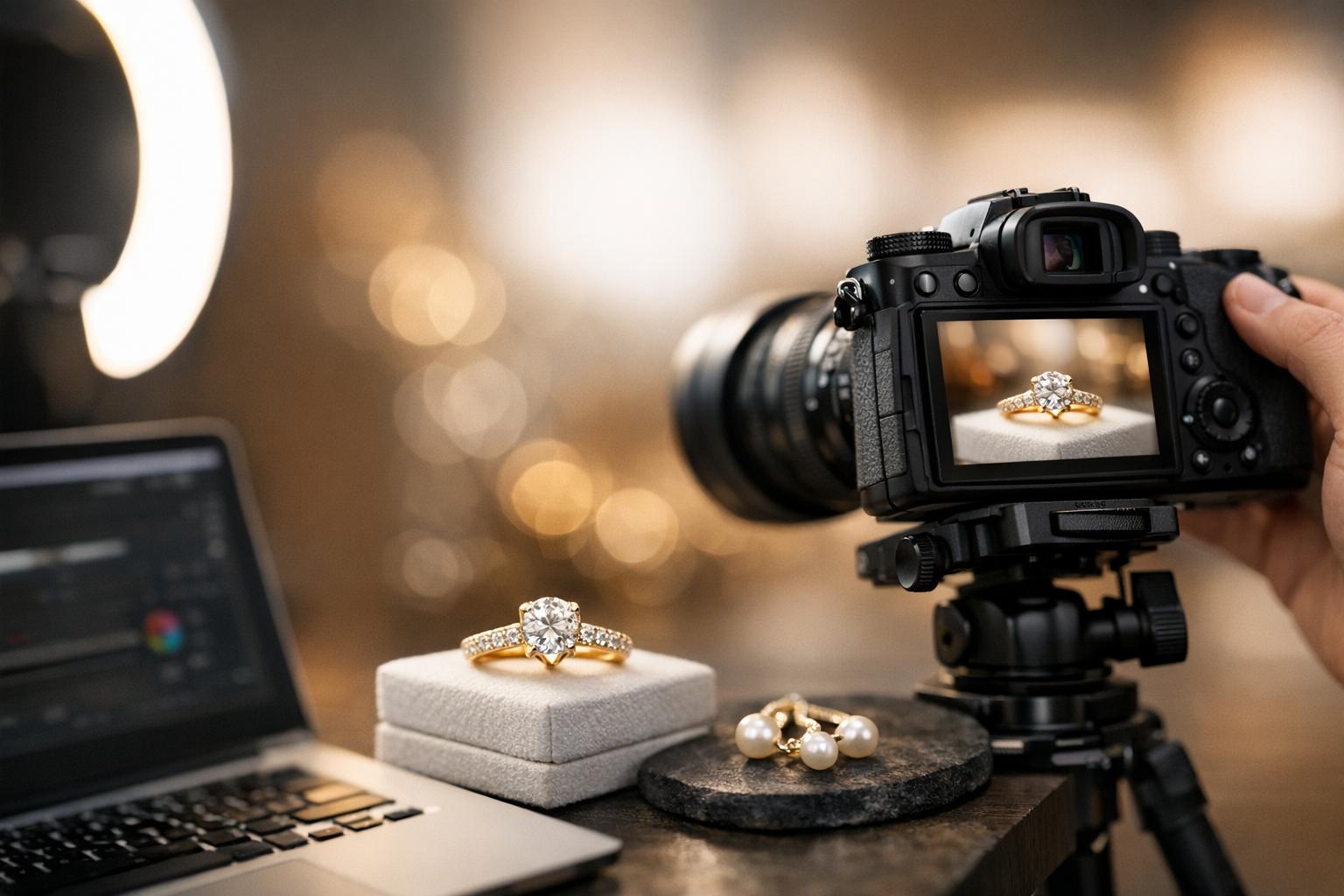
Taking beautiful jewelry photos isn’t easy. Diamonds reflect light in unpredictable ways, polished metals pick up unwanted reflections, and even a small fingerprint can become obvious in a close-up shot.
Professional jewelry photography often requires specialized lighting, macro lenses, careful retouching, and plenty of patience. Fortunately, AI photography tools now make parts of that process much easier.
Whether you’re selling handmade earrings on Etsy, photographing engagement rings for an online store, or creating lifestyle images for a jewelry brand, AI can help you remove backgrounds, improve lighting, and create attractive product scenes.
But what is the best AI for jewelry photography?
The answer depends on what you’re trying to achieve. Some tools specialize in clean product photos, while others focus on creative backgrounds, virtual models, or detailed image editing.
In this guide, we’ll compare seven AI jewelry photography tools, explain their strengths and limitations, and help you choose the right solution for your budget and workflow.
Quick Comparison: Best AI Tools for Jewelry Photography
| AI Tool | Best For | Main Strength |
|---|---|---|
| Photoroom | Overall product photography | Background removal and product scenes |
| Pixelcut | Beginners and online sellers | Fast product photo editing |
| Claid.ai | Product-focused image editing | Image enhancement and controlled editing |
| Flair AI | Creative jewelry campaigns | Styled product scenes |
| Pebblely | Small businesses | Quick AI background generation |
| Hues AI | Jewelry-specific visuals | Jewelry models and virtual try-on |
| Adobe Firefly | Advanced photo editing | Generative editing and creative control |
Our quick picks:
- Best overall: Photoroom
- Best for beginners: Pixelcut
- Best for product consistency: Claid.ai
- Best for creative campaigns: Flair AI
- Best for small businesses: Pebblely
- Best jewelry-specific option: Hues AI
- Best for detailed editing: Adobe Firefly
These recommendations are based on the tools’ documented capabilities and intended workflows, not a controlled hands-on image-quality benchmark.
What Is AI Jewelry Photography?
AI jewelry photography uses artificial intelligence to create, edit, enhance, or transform images of jewelry products.
Unlike traditional photography, where every scene must be physically arranged and photographed, AI tools can automate several time-consuming editing tasks.
For example, you can photograph a gold necklace on a plain surface, remove the background, and place it in a digitally generated studio setting.
Some tools can also create lifestyle scenes or simulate how jewelry might look on a model.
What Can AI Jewelry Photography Tools Do?
Depending on the platform, AI tools can help with:
- Background removal: Replace distracting backgrounds with clean white or transparent ones.
- AI background generation: Create marble, velvet, floral, or luxury studio settings.
- Lighting enhancement: Improve brightness, contrast, and overall presentation.
- Image upscaling: Increase image resolution for larger displays.
- Virtual models: Generate images showing jewelry worn by people.
- Batch editing: Process multiple product photos using similar settings.
- Creative advertising: Produce promotional visuals for social media and marketing campaigns.
However, AI-generated jewelry images have an important limitation: they may not perfectly preserve the original product.
A generated image can accidentally change a diamond’s shape, add gemstones, alter a chain, or modify a ring’s setting.
For this reason, AI should enhance your jewelry photography workflow rather than replace accurate product documentation.
1. Photoroom — Best Overall AI for Jewelry Product Photography
Website: https://www.photoroom.com/
Photoroom is a popular AI-powered product photography and editing platform.
It is particularly useful for online sellers who need consistent product images without spending hours editing every photograph.
For jewelry photography, its main advantage is the ability to isolate a product from its original background and create a cleaner presentation.
Key Features
- AI background removal
- Background replacement
- AI-generated product scenes
- Image resizing and editing
- Batch editing on supported plans
- Product photography templates
Why It’s Good for Jewelry Photography
Imagine photographing a silver bracelet on your desk.
Instead of manually cutting out the bracelet in Photoshop, you can use Photoroom to remove the background and place it on a clean studio-style surface.
You can also create different visual treatments for the same product, such as a white-background catalog image and a more decorative promotional image.
Pros
- Beginner-friendly interface
- Useful for e-commerce listings
- Quick background removal
- Supports consistent product presentation
- Available on web and mobile
Cons
- AI-generated backgrounds may produce unnatural reflections
- Fine chains and transparent gemstones can be difficult to isolate
- Some advanced features require paid access
Pricing
Photoroom offers free access with limitations and paid subscriptions for additional editing capabilities. Check its official pricing page for current limits, export options, and commercial-use conditions.
Best For
Small jewelry businesses, Etsy sellers, and online stores that need clean, consistent product photos.
Verdict: Photoroom is our best overall starting point for AI jewelry photography because it combines accessible editing tools with practical e-commerce workflows.
2. Pixelcut — Best for Beginners and Small Jewelry Sellers
Website: https://www.pixelcut.ai/
Pixelcut is an AI image editing platform designed to simplify product photography and visual content creation.
It offers tools for removing backgrounds, improving images, and creating product scenes.
For beginners, its straightforward workflow is one of its main advantages.
Key Features
- AI background remover
- Product image enhancement
- AI background generation
- Image upscaling
- Creative image editing
- Product photography workflows
Why It’s Good for Jewelry Photography
Suppose you sell handmade earrings and need product images for an online shop.
You can start with a photograph taken using your smartphone, remove the original background, and create a cleaner listing image.
Pixelcut can also help you experiment with different presentation styles without building multiple physical photography setups.
Pros
- Easy to learn
- Suitable for smartphone photography
- Useful for small online stores
- Multiple editing features in one platform
- Good for quick content creation
Cons
- AI editing may distort delicate jewelry details
- Generated lifestyle scenes are not guaranteed to represent exact product dimensions
- Advanced features and usage allowances depend on the plan
Pricing
Pixelcut provides access to selected editing tools and paid options for expanded usage. Pricing and credit requirements vary by feature.
Best For
Beginners, handmade jewelry sellers, and creators who want to improve product images quickly.
Verdict: Pixelcut is a practical choice if you want to start using AI jewelry photography without learning complicated editing software.
3. Claid.ai — Best for Product-Focused Image Editing
Website: https://claid.ai/
Claid.ai focuses on AI product photography, image enhancement, and automated visual content workflows.
It is especially relevant to businesses that need to process product images consistently.
Unlike a purely creative image generator, Claid is designed around commercial product imagery.
Key Features
- AI product image enhancement
- Background generation and replacement
- Image upscaling
- Product-focused editing workflows
- API-based image processing
- Controlled image generation options
Why It’s Good for Jewelry Photography
Jewelry sellers often need to preserve the product’s appearance while improving its presentation.
For example, a retailer may want to replace a dull background without changing the ring itself.
Claid offers product-focused editing workflows that can be useful for this purpose.
However, no AI image editor should be assumed to preserve every gemstone, prong, engraving, or metal detail perfectly.
Pros
- Built around product photography
- Useful for consistent image workflows
- Supports automated processing
- Relevant to larger product catalogs
- Offers controlled editing capabilities
Cons
- Some workflows may require more setup
- Advanced usage can involve credits or API integration
- Jewelry details still require manual verification
Pricing
Claid offers plan and usage options for its image tools and API services. Check the official pricing page for current credit allowances and commercial terms.
Best For
Growing jewelry businesses that need repeatable image editing workflows.
Verdict: Claid.ai is worth considering when consistent product presentation and workflow efficiency are more important than highly artistic image generation.
4. Flair AI — Best for Creative Jewelry Advertising
Website: https://flair.ai/
Flair AI is an AI-powered creative studio designed to help brands produce product photography and marketing visuals.
Its strength lies in creating styled scenes that would otherwise require props, backdrops, and physical studio arrangements.
Key Features
- AI product photography
- Scene composition
- Product-focused creative layouts
- AI-generated backgrounds
- Marketing image creation
- Brand-oriented visual workflows
Why It’s Good for Jewelry Photography
Jewelry marketing often relies on emotion and presentation.
A simple necklace may look very different when photographed against white marble, soft silk, or a dark luxury background.
Flair AI can help you explore these visual concepts without arranging a separate photoshoot for each idea.
It is particularly useful for seasonal campaigns, gift promotions, and social media advertising.
Pros
- Strong creative presentation options
- Useful for promotional campaigns
- Supports different visual styles
- Reduces the need for physical props
- Suitable for branded content
Cons
- Generated scenes may introduce unrealistic shadows
- Small jewelry details can be altered
- Not every output is suitable for an accurate product listing
- Learning the composition workflow may take time
Pricing
Flair AI offers subscription-based access, with available features and generation allowances depending on the plan.
Best For
Jewelry brands, social media marketers, and creators producing advertising visuals.
Verdict: Flair AI is a strong option for creative jewelry photography, especially when presentation and campaign variety matter more than strict catalog consistency.
5. Pebblely — Best for Simple AI Jewelry Backgrounds
Website: https://pebblely.com/
Pebblely is an AI product photography tool focused on turning ordinary product images into attractive scenes.
Its straightforward approach makes it appealing to small businesses that want professional-looking backgrounds without complex editing.
Key Features
- AI background generation
- Product scene creation
- Theme-based backgrounds
- Background removal
- Product image variations
- Batch capabilities on eligible plans
Why It’s Good for Jewelry Photography
Suppose you have a photograph of a pearl necklace on a plain background.
With Pebblely, you can experiment with settings such as soft fabric, marble surfaces, or decorative arrangements.
This can be helpful when creating visual content for product promotions or social media.
Pros
- Simple workflow
- Useful for background experimentation
- Suitable for small businesses
- Helps create visual variety
- Reduces physical styling requirements
Cons
- Generated reflections may not match the original jewelry
- Fine product edges may require correction
- Complex scenes can distract from small jewelry items
- Usage limits depend on the subscription
Pricing
Pebblely provides subscription options for AI product photography. Check its current pricing page for generation limits and batch-editing availability.
Best For
Independent jewelry sellers and small businesses that primarily need attractive product backgrounds.
Verdict: Pebblely is a convenient choice when you want to improve the presentation of existing jewelry photographs without building a complex photography workflow.
6. Hues AI — Best Jewelry-Specific AI Photography Tool
Website: https://www.huesis.ai/
Hues AI focuses on AI-powered jewelry photography and visual content creation.
Unlike general-purpose product photography platforms, its positioning is specifically oriented toward jewelry.
Its advertised workflows include jewelry imagery, virtual try-on, and model-based product presentation.
Key Features
- AI jewelry product photography
- Jewelry-focused image editing
- Virtual try-on workflows
- AI model imagery
- Jewelry promotional visuals
- Product video-related capabilities
Why It’s Good for Jewelry Photography
Jewelry presents challenges that are different from photographing ordinary products.
A necklace must appear naturally positioned, earrings need realistic scale, and rings must fit the hand convincingly.
A jewelry-focused platform can provide more relevant workflows than a generic background generator.
Hues AI is worth evaluating if you regularly create images showing jewelry on models.
Pros
- Jewelry-specific focus
- Relevant model and try-on workflows
- Useful for lifestyle presentation
- Designed around jewelry marketing needs
- Offers multiple jewelry-related visual tools
Cons
- Generated try-on results may not preserve exact scale
- Fine gemstone and setting details need verification
- Specialized workflows may have a learning curve
- Feature access and pricing should be confirmed directly
Pricing
Visit Hues AI’s official website for current plans, credit allowances, and available trial options.
Best For
Jewelry retailers and brands that need specialized jewelry presentation and virtual model imagery.
Verdict: Hues AI is one of the more relevant specialist options for jewelry-focused photography workflows, particularly when virtual try-on and model presentation are priorities.
7. Adobe Firefly — Best for Advanced Jewelry Photo Editing
Website: https://firefly.adobe.com/
Adobe Firefly is Adobe’s generative AI platform for image creation and editing.
It can be useful for jewelry photography when combined with more traditional editing techniques, particularly through Adobe’s creative software ecosystem.
Key Features
- Generative image editing
- Background generation
- Generative Fill workflows
- Image expansion
- Creative image generation
- Integration with Adobe editing tools
Why It’s Good for Jewelry Photography
Sometimes a jewelry photograph is already good but needs careful improvements.
You might want to extend the background, remove a distracting object, or create additional space around a product for advertising text.
Adobe’s editing tools can help with these tasks while giving experienced users more control over the final composition.
For highly detailed jewelry work, traditional retouching techniques remain valuable alongside generative AI.
Pros
- Flexible creative editing capabilities
- Useful for advanced workflows
- Integrates with Adobe tools
- Suitable for professional image editors
- Supports detailed composition adjustments
Cons
- More complicated for beginners
- Subscription and credit requirements vary
- Generative editing may alter jewelry details
- Professional retouching skills can still be necessary
Pricing
Adobe Firefly offers access options that vary by subscription and generative credit allowance. Some capabilities may also be available through other Adobe products.
Best For
Photographers, designers, and experienced editors who want detailed control over jewelry product images.
Verdict: Adobe Firefly is a strong choice for advanced creative editing, particularly when used alongside conventional photo-retouching tools.
Which AI Jewelry Photography Tool Should You Choose?
The best tool depends on the type of jewelry photos you need.
| Your Goal | Recommended Tool |
|---|---|
| Create clean product listings | Photoroom |
| Edit photos quickly as a beginner | Pixelcut |
| Process a large product catalog | Claid.ai |
| Create luxury campaign visuals | Flair AI |
| Generate decorative backgrounds | Pebblely |
| Show jewelry on virtual models | Hues AI |
| Perform advanced image editing | Adobe Firefly |
Best for Etsy Sellers
Photoroom and Pixelcut are useful starting points for sellers who need simple, consistent product photographs.
Best for Jewelry Brands
Flair AI and Hues AI are worth exploring for more creative marketing imagery and model-based presentations.
Best for Large Product Catalogs
Claid.ai may be a better fit when automated editing and consistent workflows are priorities.
Best for Professional Editors
Adobe Firefly is most relevant if you already use advanced photo-editing software and want to incorporate generative features.
What Is the Best Free AI for Jewelry Photography?
If you are just getting started, you may not need a paid subscription immediately.
Several AI photography platforms offer free access, trial allowances, or limited editing tools.
Photoroom
Photoroom provides free access to selected editing capabilities.
It is a useful place to start if you mainly need to remove backgrounds from jewelry photographs.
Pixelcut
Pixelcut offers access to various image-editing tools, although free usage limits and premium requirements depend on the feature.
It can be useful for experimenting with basic jewelry product photography.
Adobe Firefly
Adobe offers limited generative AI access under eligible free options, subject to current credit allowances.
This can be useful for testing creative editing before purchasing a subscription.
Are Free AI Jewelry Photography Tools Good Enough?
For occasional background removal or simple social media images, free tools may be sufficient.
However, sellers with large catalogs may need paid features such as higher export resolution, batch processing, private projects, or expanded generation limits.
Before choosing a free plan, check whether the resulting images can be used commercially and whether any watermarks or restrictions apply.
How to Create Jewelry Product Photos With AI
You don’t need a professional photography studio to start experimenting with AI jewelry photography.
The following workflow can help you produce better results while preserving important product details.
Step 1: Take a Clear Original Photograph
Start with a real photograph of your jewelry.
Use a smartphone or camera with adequate resolution, and place the product near a soft, indirect light source.
Avoid harsh direct sunlight, which can create distracting reflections on polished metals and gemstones.
For small jewelry pieces, use a stable surface or tripod.
Step 2: Clean the Jewelry
Dust, fingerprints, and smudges become especially visible in close-up jewelry photography.
Use an appropriate cleaning method for the specific metal and gemstone before taking pictures.
Some delicate stones and finishes require special care, so avoid assuming that every cleaning method is safe.
Step 3: Upload the Image to an AI Photography Tool
Choose a platform such as Photoroom, Pixelcut, or Pebblely.
Upload your original photograph and begin with a simple edit, such as background removal.
Inspect the edges carefully, especially around chains, prongs, and transparent gemstones.
Step 4: Generate a Suitable Background
Choose a background that complements the jewelry rather than competing with it.
For example:
- White backgrounds for e-commerce catalogs
- Soft beige or cream backgrounds for minimalist jewelry
- Dark velvet-inspired scenes for luxury collections
- Marble surfaces for elegant product presentation
- Floral settings for romantic gift promotions
Avoid excessively complicated scenes that make small products difficult to see.
Step 5: Check Product Accuracy
This is one of the most important steps.
Compare the AI-edited image with the original photograph.
Check the gemstone count, setting shape, chain length, metal color, engraving, and other distinctive details.
If the AI has changed the product itself, correct the image or use a more conservative editing method.
Step 6: Export the Final Image
Export the photograph at an appropriate resolution for its intended use.
For online stores, follow the image requirements of your e-commerce platform.
Use consistent image dimensions across similar products and keep a copy of the original photograph.
Step 7: Create Additional Lifestyle Images
Once you have an accurate primary product image, experiment with decorative backgrounds or lifestyle scenes.
These additional visuals can help customers imagine the jewelry as a gift or part of an outfit.
However, generated lifestyle imagery should not replace accurate product photographs when buyers need to inspect the actual item.
AI Jewelry Photography vs Traditional Photography
AI tools can reduce editing time and make creative product presentation more accessible.
However, they cannot fully replace traditional photography in every situation.
| Factor | AI-Assisted Photography | Traditional Photography |
|---|---|---|
| Background changes | Fast and flexible | Requires physical setups or editing |
| Initial equipment | Often minimal | May require lighting and lenses |
| Creative variations | Easy to generate | More setup and shooting time |
| Product accuracy | Requires careful verification | Captures the actual product |
| Gemstone detail | Can introduce artifacts | Depends on camera and lighting |
| Batch workflows | Often efficient | Can require substantial editing |
| Creative control | Depends on tool capabilities | Direct control over physical setup |
When AI Photography Makes Sense
AI is particularly useful for background editing, promotional visuals, image resizing, and creating multiple visual variations from a single product photograph.
When Traditional Photography Is Better
Traditional photography remains important for showing the actual gemstone, craftsmanship, engraving, and physical characteristics of a jewelry item.
For high-value jewelry, customers may need detailed photographs or videos that accurately represent the specific piece being sold.
The best approach is often a combination of both methods: use real photography to document the product and AI to improve its presentation.
Common AI Jewelry Photography Mistakes to Avoid
1. Changing the Gemstone Appearance
AI tools may modify a diamond’s shape, clarity appearance, or color.
This can mislead customers if the resulting image no longer matches the actual product.
Always compare edited images with the original.
2. Adding Extra Stones or Details
Generative AI sometimes creates additional gemstones, decorative elements, or altered prongs.
These changes may make a piece look more attractive, but they can also make the product image inaccurate.
3. Creating Unrealistic Reflections
Jewelry reflects its environment.
If an AI-generated background produces lighting or reflections that do not match the product, the final image can appear artificial.
4. Using Incorrect Virtual Try-On Scale
An AI-generated image of earrings or a necklace on a model may not accurately represent its real dimensions.
Provide measurements and genuine product photographs so customers can understand the item’s actual size.
5. Overediting Metal and Gemstone Colors
Heavy image enhancement can change yellow gold, rose gold, silver, and gemstone colors.
Use a calibrated reference image when possible and avoid making changes that misrepresent the product.
6. Relying Entirely on Generated Images
A fully AI-generated jewelry image may look impressive without corresponding to a real product.
For e-commerce listings, prioritize authentic product images and use AI-generated visuals as supplementary content where appropriate.
Can AI Create Jewelry Designs as Well as Photos?
Yes, but AI jewelry design and AI jewelry photography are different tasks.
AI jewelry photography focuses on presenting an existing product through image editing, background generation, or lifestyle visualization.
AI jewelry design focuses on developing new jewelry concepts, including rings, necklaces, and other accessories.
Some design platforms also offer rendering and 3D modeling capabilities.
If you’re interested in creating a new jewelry concept rather than photographing an existing item, read our guide to Tashvi AI alternatives for a comparison of AI jewelry design, rendering, and modeling tools.
Understanding this difference can help you avoid paying for software that doesn’t match your actual needs.
Frequently Asked Questions
What is the best AI for jewelry photography?
Photoroom is a strong overall choice for jewelry sellers who need background removal and clean product images. Claid.ai is worth considering for consistent product-focused workflows, while Hues AI specializes in jewelry-related imagery.
Can AI make jewelry photos look professional?
AI can improve backgrounds, lighting presentation, and overall composition. However, the final image still depends on the quality of the original photograph and the accuracy of the editing process.
Is there a free AI jewelry photography tool?
Yes. Tools such as Photoroom and Pixelcut offer selected free capabilities, while Adobe Firefly may provide limited free generative access. Usage limits and commercial terms vary.
Can AI put jewelry on a model?
Some AI tools support virtual models or jewelry try-on workflows. Hues AI is one jewelry-focused option. Always verify the product’s proportions, appearance, and scale before using generated images commercially.
Which AI tool is best for jewelry background removal?
Photoroom and Pixelcut are practical options for background removal. However, delicate chains, transparent stones, and reflective edges may require manual corrections.
Can I use AI jewelry photos for Etsy or Shopify?
AI-assisted product images can be useful for online stores, but sellers must follow the relevant marketplace’s current image and disclosure policies. Product images should accurately represent the item being sold, and generated content should not mislead buyers.
Is AI jewelry photography better than Photoshop?
AI photography tools are often faster for simple background removal and scene generation. Photoshop and other professional editors offer more detailed manual control, particularly for complex retouching.
Can AI replace a professional jewelry photographer?
AI can automate parts of the editing and presentation process, but it cannot guarantee accurate documentation of real gemstones, metal finishes, and craftsmanship. Professional photography remains valuable for high-end and detail-sensitive products.
Final Verdict: What Is the Best AI for Jewelry Photography in 2026?
AI has made jewelry photography more accessible to independent sellers, small businesses, and creators who don’t have access to a professional studio.
But there is no single tool that is best for every situation.
Photoroom is our overall recommendation for straightforward product photography and background editing.
Pixelcut is a useful starting point for beginners who want a simple editing experience.
Claid.ai is worth exploring for consistent, product-focused image workflows.
Flair AI is better suited to creative campaigns and promotional scenes.
Pebblely is a convenient option for generating attractive product backgrounds.
Hues AI stands out for its jewelry-specific workflows and virtual model imagery.
Adobe Firefly is a strong choice for advanced creative editing and users who want greater control.
If you’re new to AI jewelry photography, start with a real, well-lit photograph and test one tool before investing in a paid plan.
Most importantly, remember that jewelry photography isn’t just about making a product look beautiful. It’s also about helping people understand what they’re buying.
The best AI jewelry photography workflow combines attractive presentation with accurate product details, clear images, and realistic customer expectations.