
You send someone an iMessage, but they don’t reply. The message doesn’t show “Delivered,” or the familiar blue bubble suddenly turns green.
Now you’re wondering: How do you know if someone blocked you on iMessage?
The short answer is that there’s no guaranteed way to tell.
Apple doesn’t send notifications when someone blocks your number. And although blocked messages aren’t delivered to the recipient, the information shown on your own iPhone isn’t a reliable confirmation of someone’s blocking status.
A missing delivery receipt, a green message bubble, or a call going to voicemail can have several explanations.
Before assuming someone blocked you, it’s important to understand what these signs actually mean.
This guide explains seven commonly discussed signs, how iMessage delivery works, what else could be happening, and what to do if you suspect someone has blocked you.
Can You Really Tell If Someone Blocked You on iMessage?
No. Apple doesn’t provide a feature that lets you confirm whether another person has blocked your number.
According to Apple Support, when someone blocks a contact, messages from that contact aren’t delivered, and the sender isn’t notified that they’ve been blocked.
That means you won’t see an official warning saying “You’ve been blocked.”
You also can’t open a setting on your iPhone to view a list of people who have blocked you.
You can check the contacts you’ve blocked, but not who has blocked your number.
Some messaging behaviors may raise questions, particularly if they change suddenly. However, none should be treated as definitive evidence.
Quick Answer: What the Common Signs Mean
| What You Notice | Does It Prove You’re Blocked? | Other Possible Explanations |
|---|---|---|
| No “Delivered” label | No | Connection problems, device unavailable, iMessage issues |
| Blue messages turn green | No | iMessage unavailable, SMS/RCS fallback, device or settings changes |
| No “Read” receipt | No | Read receipts disabled, message unread |
| Calls go to voicemail | No | Focus settings, call screening, no signal, phone unavailable |
| FaceTime doesn’t connect | No | Network issues, unavailable device, FaceTime disabled |
| No response for several days | No | Personal circumstances, boundaries, lack of interest |
| Several communication methods stop working | No | Multiple possible technical or personal explanations |
Bottom line: These observations can help you understand a communication problem, but they cannot reveal another person’s private blocking settings.
7 Possible Signs Someone Blocked You on iMessage
1. Your iMessage Doesn’t Say “Delivered”
One of the most common questions is:
If someone blocked me on iMessage, would it still say Delivered?
Apple confirms that messages from blocked contacts aren’t delivered to the recipient.
However, a missing “Delivered” label doesn’t automatically mean you’ve been blocked.
There are other reasons a message may not reach its destination, including:
- The recipient’s device is turned off.
- Their device temporarily has no internet connection.
- iMessage is unavailable.
- There’s a problem with message activation or account settings.
- Your own connection is experiencing difficulties.
If a message doesn’t show a delivery confirmation, avoid jumping to conclusions.
You don’t have enough information to identify the cause from that detail alone.
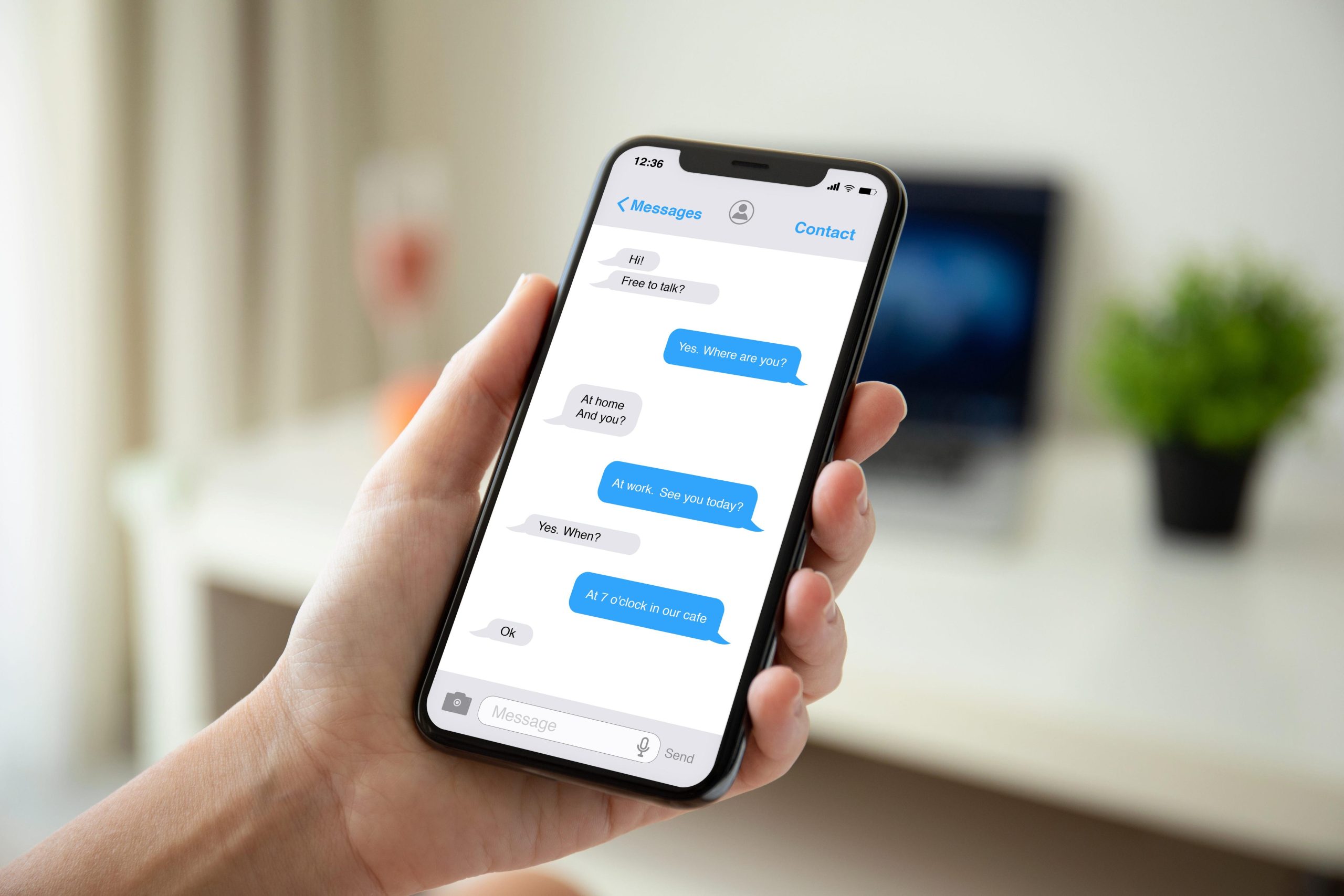
2. Your Messages Suddenly Turn From Blue to Green
A sudden change from blue to green can feel suspicious, especially if your conversations have always used iMessage.
But green text bubbles do not mean someone blocked you.
Apple uses different colors to identify different messaging services.
- Blue bubbles: iMessage.
- Green bubbles: SMS, MMS, or RCS.
A conversation may switch to green if iMessage is unavailable or the message is sent using another supported service.
For example, someone may have turned off iMessage, changed devices, or experienced an activation issue.
The color tells you which messaging service was used—not whether someone has blocked your number.
3. You No Longer See “Read”
Perhaps someone previously had read receipts enabled, and now your messages no longer show “Read.”
It’s natural to wonder whether something changed.
But read receipts are optional.
A person can turn them off, including for individual conversations where supported.
They may also simply not have opened the message.
Not seeing “Read” is not evidence of blocking.
Even when a message is marked as delivered, you can’t assume the recipient has read it unless an applicable read receipt confirms that.
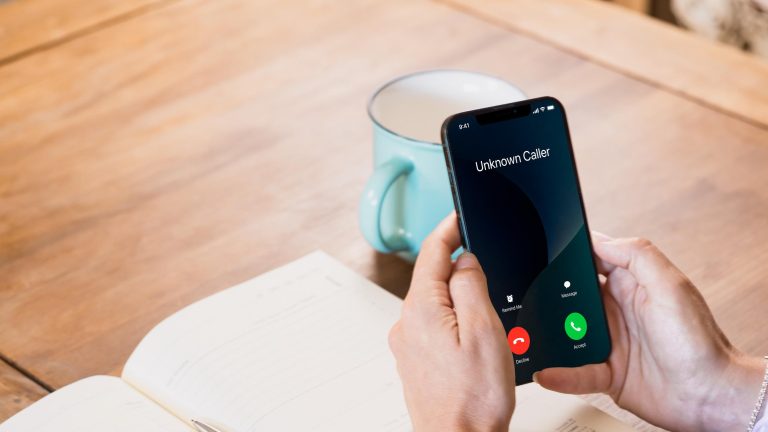
4. Your Calls Go Straight to Voicemail
Another commonly mentioned sign is that phone calls go directly to voicemail.
Apple states that blocked callers may still leave voicemail, but the recipient won’t receive a notification about it.
However, voicemail behavior alone is not a reliable test.
Calls may also be redirected or silenced because of:
- Do Not Disturb or another Focus mode.
- Call screening settings.
- Unknown-caller filtering.
- Network or carrier problems.
- A powered-off or unavailable phone.
- Other call-handling settings.
The number of rings you hear isn’t a dependable way to determine whether someone blocked you.
If your call goes to voicemail once, or even repeatedly, it doesn’t prove the recipient has blocked your number.
5. Your FaceTime Calls Don’t Connect
If someone has blocked your contact information through Apple’s blocking features, that can affect FaceTime communication as well.
Still, an unsuccessful FaceTime call isn’t proof of blocking.
FaceTime may fail because:
- The recipient doesn’t have an active internet connection.
- FaceTime is disabled or unavailable.
- Their device is turned off.
- Their account or device settings have changed.
- A temporary technical issue is preventing the connection.
Avoid making repeated FaceTime calls simply to test whether someone blocked you.
A failed call tells you the connection didn’t succeed, not why.
6. Someone Suddenly Stops Responding
Sometimes, the biggest concern isn’t a technical message status.
It’s the silence.
You may have been texting someone regularly when they suddenly stopped replying.
Perhaps your last message was emotionally important, or the change happened after an argument.
There are many possible reasons someone may stop responding.
They might be busy, overwhelmed, dealing with personal circumstances, taking space, or choosing not to continue the conversation.
Blocking is one possibility, but it isn’t something you can establish from silence alone.
It’s also important to separate two questions:
- Did my message reach their device?
- Do they want to communicate with me?
Even a successfully delivered message can’t answer the second question.
If you’re uncertain about someone’s romantic interest, our guide on how to tell if someone likes you discusses broader relationship behaviors rather than relying on individual text messages.
7. Multiple Ways of Contacting Them Stop Working
You might notice that messages aren’t being delivered, calls aren’t connecting, and FaceTime attempts are unsuccessful.
This combination can understandably make you suspect blocking.
However, the same pattern may occur when a device is unavailable, a phone number has changed, or several services are affected by a technical issue.
Multiple signs still don’t create a reliable blocking test.
The most useful next step is to check whether there’s an issue on your own device and then respect the other person’s communication preferences.
Does iMessage Say Delivered If You’re Blocked?
This is one of the most misunderstood aspects of iMessage blocking.
Apple confirms that messages from blocked contacts aren’t delivered to the person who blocked them.
However, Apple doesn’t provide a public, guaranteed rule that lets senders determine blocking status from the exact wording beneath every message.
You may see different statuses depending on the messaging service, connection, and device conditions.
What Does “Delivered” Mean on iMessage?
For an iMessage, “Delivered” indicates that the messaging service has reported delivery.
It doesn’t mean the recipient opened the conversation, read the text, or intends to respond.
What Does “Read” Mean?
“Read” is a read receipt.
It can appear when the recipient has read the message and the relevant read receipt setting is enabled.
Not everyone uses read receipts.
What If There’s No Delivery Status?
A missing delivery status can indicate that delivery hasn’t been confirmed.
But it doesn’t explain the reason.
Possible explanations include a connection problem, service issue, unavailable device, or blocking.
You cannot reliably distinguish among them from the missing label alone.
What If an Older Message Says Delivered?
A delivery confirmation on an earlier message doesn’t prove that you’re currently unblocked.
Someone’s settings or circumstances may have changed after that message was sent.
Likewise, an older delivery receipt doesn’t disappear simply because the relationship or communication situation later changes.
The safest interpretation is to treat message statuses as delivery information, not as a tool for investigating another person’s privacy settings.
Green vs. Blue Bubbles: Does Green Mean Blocked?
No. A green bubble is not a blocking indicator.
Apple’s Messages app supports multiple messaging technologies.
| Feature | iMessage | RCS | SMS/MMS |
|---|---|---|---|
| Bubble color | Blue | Green | Green |
| Typical connection | Wi-Fi or cellular data | Supported mobile network service | Carrier messaging service |
| Delivery receipts | Supported | Supported where available | Not the same standardized iMessage experience |
| Read receipts | Supported when enabled | Supported where available | Generally unavailable as an iMessage-style feature |
| Indicates blocking? | No | No | No |
RCS is especially important because green bubbles no longer necessarily mean a traditional SMS message.
On supported devices and carriers, RCS can offer features such as delivery receipts, read receipts, and typing indicators.
Therefore, you shouldn’t interpret every green message as an SMS—or as proof that someone blocked you.
Why Would an iMessage Conversation Suddenly Turn Green?
Possible reasons include:
- iMessage has been turned off.
- The recipient changed to a device that isn’t using iMessage.
- iMessage activation is temporarily unavailable.
- A message is being sent through SMS or RCS instead.
- Device, account, or network settings have changed.
If you’re seeing unexpected green bubbles in several conversations, the issue may involve your own iMessage configuration.
Blocked vs. Phone Off vs. Do Not Disturb: How Can You Tell?
A common mistake is assuming that a specific combination of signs must have only one explanation.
In reality, several situations can produce overlapping symptoms.
| Situation | Messages | Calls | What You Can Conclude |
|---|---|---|---|
| Your number is blocked | Blocked messages aren’t delivered to the recipient | Blocking can affect calls | Sender isn’t given confirmation |
| Recipient’s phone is off | Delivery may be delayed or unavailable | Calls may not connect normally | Device may be unavailable |
| Do Not Disturb or Focus is on | Messages can still arrive | Calls may be silenced | Notifications may be muted |
| Recipient has no internet | iMessage delivery may be affected | FaceTime may not connect | Connection may be unavailable |
| iMessage is turned off | Messages may use another service | Regular calls may still work | Messaging service has changed |
| Recipient isn’t responding | Messages may still be delivered | Calls may or may not be answered | Their intentions remain unknown |
The key distinction is that Do Not Disturb and Focus primarily manage interruptions and notifications, while blocking restricts communication from specified contacts.
A Focus status such as “Notifications Silenced” does not mean you’re blocked.
And the absence of that status doesn’t mean you aren’t blocked.
How to Check for iMessage Problems Before Assuming You’re Blocked
If messages aren’t working as expected, start with a few ordinary troubleshooting steps.
These can help identify problems on your side without attempting to bypass anyone’s boundaries.
Step 1: Check Your Internet Connection
Make sure your iPhone has a working Wi-Fi or cellular data connection.
Try opening a website or using another internet-dependent app.
Step 2: Check Whether iMessage Is Enabled
On recent iOS versions:
- Open Settings.
- Tap Apps.
- Select Messages.
- Check whether iMessage is enabled.
The exact settings path may vary with your iOS version.
Step 3: Check Send & Receive
Within Messages settings, look for Send & Receive.
Confirm that the phone number or email address you intend to use is configured correctly.
Step 4: Look for a Wider Messaging Problem
If multiple iMessage conversations are unexpectedly switching to green or failing to send, investigate your device or network settings.
A problem affecting several contacts is less likely to be explained by one person blocking you.
Step 5: Check for Service or Activation Issues
If iMessage has recently stopped working, review Apple’s troubleshooting guidance and any relevant service information.
Restarting your device or updating iOS may help with some technical problems.
If necessary, contact Apple Support or your carrier.
These steps can identify technical issues, but they cannot tell you whether another person has blocked you.
What Happens When Someone Blocks You on iPhone?
Apple’s blocking features are designed to prevent unwanted communication without notifying the blocked sender.
When a person blocks a contact or phone number using Apple’s communication-blocking features:
- Messages from the blocked contact aren’t delivered to the recipient.
- The blocked sender doesn’t receive a blocking notification.
- Calls from blocked contacts may still reach voicemail, without notifying the recipient.
- Blocking can apply across supported Apple communication apps.
Some details vary by operating system version, device, and communication service.
Blocking someone on an iPhone also doesn’t necessarily block them on independent third-party apps.
For example, blocking a phone number through Apple’s settings isn’t the same as separately blocking an account in WhatsApp or Instagram.
Those services have their own controls.
What Should You Do If You Think Someone Blocked You?
Discovering that someone may have blocked you can feel hurtful, especially when the relationship matters to you.
But uncertainty about blocking doesn’t have to turn into repeated testing.
1. Don’t Assume the Worst Immediately
A missing reply or failed message may have an ordinary explanation.
Give yourself time to consider the situation before drawing conclusions.
2. Avoid Sending Repeated Test Messages
Repeatedly texting or calling to determine whether someone blocked you can increase your anxiety and may disregard the other person’s boundaries.
It also won’t provide reliable technical proof.
3. Don’t Use Another Number to Bypass a Possible Block
Creating new accounts, using unfamiliar phone numbers, or asking other people to contact someone on your behalf can cross boundaries.
If someone has chosen not to communicate, it’s important to respect that choice.
4. Reflect on the Broader Relationship
Instead of focusing entirely on message statuses, consider the wider communication pattern.
Has the other person asked for space?
Was there a recent disagreement?
Have they clearly expressed that they don’t want contact?
Those details may be more meaningful than whether a message bubble is blue or green.
5. Focus on What You Can Control
You cannot control another person’s willingness to respond.
You can control how you communicate, whether you respect boundaries, and how you take care of yourself during uncertainty.
If a conversation does resume, practicing active listening may help both people communicate more clearly.
Sometimes, the healthiest response is to stop checking message statuses and give the situation space.
Frequently Asked Questions
1. Can someone block you on iMessage without you knowing?
Yes. Apple doesn’t notify the sender when a contact blocks their messages. There is no official feature that confirms another person’s blocking status.
2. Will iMessage say Delivered if you’re blocked?
Apple says messages from blocked contacts aren’t delivered to the recipient. However, the exact status shown on the sender’s device isn’t a reliable blocking test. A missing “Delivered” label doesn’t prove blocking.
3. Does a green bubble mean you’re blocked?
No. Green bubbles indicate that the message is using SMS, MMS, or RCS instead of iMessage. This can happen for several reasons unrelated to blocking.
4. Can you still FaceTime someone who blocked you?
Apple’s contact-blocking features can restrict FaceTime communication. However, an unsuccessful FaceTime call doesn’t prove that someone blocked you.
5. Will a blocked call ring once?
There is no dependable one-ring rule. Call behavior can vary because of voicemail settings, carrier services, call screening, Focus modes, and network conditions.
6. Does Do Not Disturb mean someone blocked you?
No. Do Not Disturb is a Focus feature that manages notifications and interruptions. It isn’t evidence that your number has been blocked.
7. Can you see who blocked you on iPhone?
No. iPhone doesn’t provide a list of people who have blocked your number. You can view contacts you’ve blocked, but not people who have blocked you.
8. What happens when someone unblocks you?
Future communication may become possible again, depending on the devices, services, and settings involved. Don’t assume messages sent during the blocked period will automatically be delivered afterward.
9. If someone blocked me on iMessage, can they still receive my SMS?
Don’t assume switching from iMessage to SMS will bypass a contact block. Apple’s blocking features apply to communication from blocked contacts, and attempting to get around a block is not a respectful way to reconnect.
10. How can I tell if someone blocked me or just turned off their phone?
You generally can’t distinguish the two with certainty from message status alone. A powered-off phone, connection problems, and blocking can produce overlapping observations.
Final Thoughts: No Single iMessage Sign Proves You’re Blocked
If you’re trying to figure out how to know if someone blocked you on iMessage, remember the most important fact:
Apple doesn’t provide a reliable way to confirm that someone blocked you.
A missing “Delivered” label, a green message bubble, an unsuccessful FaceTime call, or a call going to voicemail may raise questions, but none proves blocking.
Start by checking for ordinary technical problems.
If your device is working normally, avoid repeatedly testing the other person’s number.
And if someone appears to be choosing not to communicate, respecting their boundaries is more important than finding a workaround.
Message statuses can tell you something about technology.
They cannot tell you everything about another person’s feelings or intentions.
Sources and Further Reading
- Apple Support — Block Phone Numbers, Contacts, and Email Addresses on iPhone or iPad
- Apple Support — What Is the Difference Between iMessage, RCS, and SMS/MMS?
- Apple Support — Report Spam and Block Senders in Messages on iPhone
- Apple Support — Turn On RCS Messaging on Your iPhone
- Apple Support — Block, Screen, and Filter Communications
This article is for general informational purposes. Messaging features, settings, and delivery behavior may vary by iOS version, carrier, and device configuration.